
Best Budgeting Apps vs Spreadsheets: How to Choose
Quick answer: the best budgeting app is the one you will still be using in three months. If you want your bank transactions imported automatically and don't mind a subscription, pick an app with bank sync. If you prefer entering spending yourself, want to avoid monthly fees, or care about keeping your bank login private, a manual-entry app like WhizBudget or a spreadsheet will serve you better.
This guide compares the main types of budgeting apps in 2026 with the spreadsheet approach, so you can choose based on how you actually manage money rather than on feature lists.
What to Look for in a Budgeting App
Before comparing names, decide which of these matter to you. They separate the apps far more than design or branding does.
- Pricing model: free, monthly or annual subscription, or a one-time payment. Over five years, a small monthly fee adds up to far more than most people expect.
- Bank sync or manual entry: bank sync saves typing but needs access to your bank connection, and imports can break or duplicate. Manual entry takes a minute a day but makes you notice every purchase.
- Budgeting method: some apps are built around one method, such as zero-based budgeting or envelopes. Others are flexible.
- Multiple currencies: essential if you earn, save or travel in more than one currency.
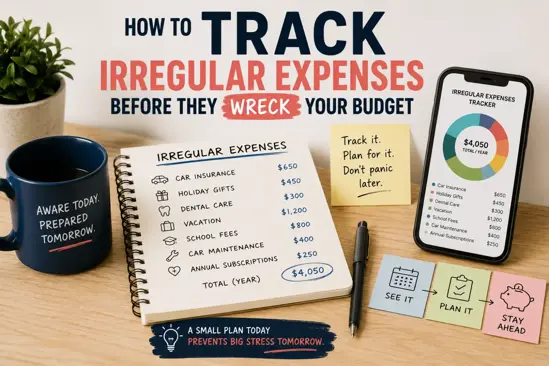
- Irregular expenses: look for sinking funds or savings goals, so annual bills don't wreck your monthly budget.
- Sharing: if you budget as a couple or family, check that two people can use the same budget.
- Data export: you should be able to download your history (for example as CSV) and leave whenever you want.
Popular Budgeting Apps Compared
Features and prices change often, so check each provider's website before you commit. This table focuses on the things that rarely change: how each app works and how you pay for it.
| App | Approach | How you pay | Transactions |
|---|---|---|---|
| WhizBudget | Flexible budgets, sinking funds, multi-currency, joint accounts | Free plan, or a one-time lifetime upgrade (no subscription) | Manual entry |
| YNAB (You Need A Budget) | Zero-based: give every dollar a job | Subscription after a free trial | Bank sync or manual |
| EveryDollar | Zero-based budgeting | Free version; paid tier adds bank sync | Manual (free) or bank sync (paid) |
| Goodbudget | Digital envelope system | Free version with limits; paid plan for more envelopes | Manual entry |
| Monarch Money | All-in-one finance dashboard | Subscription | Bank sync |
| PocketGuard | Shows what is "safe to spend" | Free version; paid tier for more features | Bank sync |
| Spreadsheet (Excel, Google Sheets) | Whatever you build | Free | Manual entry |
If you used Mint, note that it shut down in 2024 and its users were moved to Credit Karma, which is not a full budgeting tool. Many former Mint users are still looking for a replacement.
Budget App vs Spreadsheet
Spreadsheets remain a popular budgeting tool, and for good reason. Here is how they compare with a dedicated app.
Customisation and control
Spreadsheets give you total control over layout, categories and formulas. You can build any system you like, but you also have to build and maintain it.
Budgeting apps give you ready-made categories, charts and monthly views, so you can start in minutes. You trade some flexibility for speed.
Effort and habits
Either way, the habit matters more than the tool. Apps make the daily step faster, especially on your phone at the moment you spend. With a spreadsheet, people often batch-enter receipts at the weekend and then fall behind. Our guide on manual vs automated expense tracking goes deeper on this.
Cost
Spreadsheets are free. Apps range from free to subscriptions that cost the same as a streaming service every month. If you dislike subscriptions, look for a free plan or a one-time payment. WhizBudget's pricing is free to start, with an optional one-off lifetime upgrade.
Privacy
With a spreadsheet, your data stays in your own file or cloud account. Apps with bank sync connect to your bank through a third-party aggregator. Manual-entry apps never need your bank login, which is a middle ground many people prefer.
Which Should You Choose?
| If you… | Choose |
|---|---|
| Want transactions imported automatically | A bank-sync app (usually a subscription) |
| Want no monthly fees and no bank login | A manual-entry app with a free or one-time plan |
| Want to follow zero-based budgeting strictly | A zero-based app, or a zero-based template |
| Budget as a couple or family | An app with shared or joint accounts |
| Enjoy building your own system | A spreadsheet |
| Deal with several currencies | An app with multi-currency support |
How to Get Started in 15 Minutes
- List your accounts: cash, current account, savings and any debts.
- Pick 6–10 spending categories. Fewer is better at the start.
- Set a monthly amount per category based on last month's spending. Our 50/30/20 rule guide is a good starting point.
- Record every expense for 30 days. This step is what changes behaviour.
- Review at month end and adjust the categories that were unrealistic.
If you want to try this with WhizBudget, the getting started guide walks through accounts, categories and your first transactions. The free plan needs no credit card.
Frequently Asked Questions
Is there a completely free budgeting app?
Yes. Several apps have a free plan, including WhizBudget, EveryDollar and Goodbudget. Free plans usually limit something, such as the number of accounts, envelopes or months of history, so check which limit affects you.
Is a budgeting app better than a spreadsheet?
For most people, yes, because it is quicker to record spending on your phone and the reports are built in. A spreadsheet is better if you want a fully custom system and enjoy maintaining it.
Do budgeting apps need access to my bank account?
Only apps with bank sync do. Manual-entry apps, like WhizBudget, never ask for your bank login.
What replaced Mint?
Mint closed in 2024. Former users have moved to subscription apps with bank sync, to free manual-entry apps, or back to spreadsheets, depending on whether automation or cost matters more to them.
Related Articles


Joke of the day by GiggleTime