


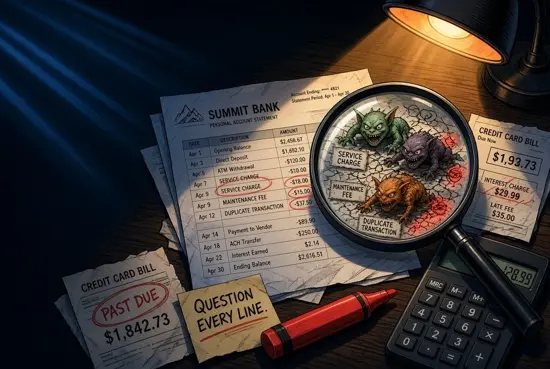
A regular bank statement audit is one of the fastest ways to protect your money without changing your lifestyle. It helps you catch avoidable fees, duplicate card payments, missed refunds, and transactions you do not recognise before they become harder to fix. The process works whether you use a current account, debit card, credit card, or all three.
You do not need accounting skills. Set aside 20 to 30 minutes, compare your statement with your receipts and confirmations, and record anything that needs follow-up. This practical guide shows you exactly how to audit bank statements with a repeatable process.
Why a Bank Statement Audit Matters for Your Budget
Your balance tells you how much money is currently available. Your statement explains where it went. Reviewing it closely can uncover small leaks that are easy to miss in day-to-day spending: a monthly account fee, a subscription you cancelled, a cash withdrawal charge, or the same purchase processed twice.
Small errors add up. A €3.99 monthly service charge costs nearly €48 a year. A duplicated €42 grocery payment can distort your food budget for the month. Catching these items also improves the accuracy of your spending categories, so your budget reflects real habits rather than bank errors.
For credit cards, a review is especially important because interest, foreign currency conversion costs, late-payment fees, and merchant disputes may appear separately or later than the original purchase. Prompt checks also limit the impact of fraud: many card providers have reporting time limits, even where consumer protections apply.
What to Gather Before Reviewing Your Transactions
Prepare your records before opening the statement. Digital records are fine, but save copies of important documents rather than relying only on an app notification or an email that may disappear.
- Your latest checking/current account and credit card statements
- Access to your banking app, including pending transactions
- Receipts for larger purchases and cash withdrawals
- Order confirmations, invoices, and subscription cancellation emails
- Proof of refunds, returns, or cancelled bookings
- Your budget or spending tracker for the same period
- A simple transaction review log, spreadsheet, or notes app
Check both pending and posted transactions. Pending entries are not final, but reviewing them helps you spot an unfamiliar payment quickly. Do not assume a pending payment is a duplicate just because it resembles a posted charge; some merchants place a temporary authorisation hold that later disappears or is replaced by the final amount.
How to Audit a Bank Statement Step by Step
Use the same order every month. A consistent routine makes it less likely that you will skip a transaction or dismiss a fee as normal.
- Download the full statement. Review the complete statement period, not only the recent activity screen. Include your current account, savings account if it has charges, and every credit card.
- Check opening and closing balances. Confirm that the previous closing balance matches the new opening balance. Then make sure the balance movement broadly makes sense given your income, transfers, and spending.
- Mark every transaction. Match each item to a receipt, online order, direct debit notice, cash withdrawal, transfer, or expected bill. Mark it as verified, needs checking, or disputed.
- Review debits and credits separately. Look for missing salary payments, incoming transfers, refunds, interest, and chargebacks as well as outgoing payments.
- Compare statement dates and amounts. A restaurant, petrol station, hotel, or foreign merchant may show a different final amount from the initial authorisation. Make sure the difference is reasonable and supported by your receipt.
- Scan fees and interest lines. These can be listed under names such as service charge, overdraft interest, card fee, commission, or transaction charge.
- Record exceptions immediately. Add questionable items to your log with the date, amount, and evidence. Do not wait until the end of the month to investigate.
Bank Statement Audit Checklist
Use this checklist each time you review credit card statements or bank account activity:
- Every card payment matches a receipt, order, or expected direct debit.
- Every cash withdrawal is yours and has the correct amount.
- Transfers, standing orders, and direct debits are expected.
- No payment appears twice under the same or a slightly different merchant name.
- Pending entries are monitored until they post or disappear.
- Refunds and reversed payments have reached the account.
- Foreign-currency transactions use the expected converted amount and fee.
- Account fees, interest, and penalties are understood and valid.
- Unrecognised transactions are reported quickly.
- Your review log is updated and supporting documents are saved.
Check for Duplicate Transactions and Unauthorised Charges
To identify duplicate charges, sort your transactions by date and amount. Look for the same merchant and amount appearing twice within a few days. Also check similar amounts: one payment may be a temporary authorisation while the other is the settled charge, or a tip may have been added after the initial card payment.
| What you see | Likely explanation | What to do |
|---|---|---|
| Two identical card payments | Terminal or online checkout processed twice | Check receipts, then contact the merchant. |
| Pending and posted charge | Temporary authorisation plus final settlement | Wait for the pending item to expire before disputing. |
| Small unfamiliar payment | Possible card verification or fraud test | Contact the card issuer promptly. |
| Merchant name looks unfamiliar | Trading name differs from shop or website name | Search the descriptor and compare with receipts. |
An unauthorised charge is not always fraud. A family member may have used a shared card, or a merchant descriptor may be different from its customer-facing name. But do not delay if you cannot verify it. Freeze the card in your banking app if available, contact the bank or card issuer using the number on the card or official website, and change relevant passwords if you suspect account access was compromised.
Find Hidden Bank Fees and Unnecessary Service Charges
Hidden bank fees are often not truly hidden in the legal sense; they are simply easy to overlook among dozens of transactions. Search your statement for words including fee, charge, interest, commission, overdraft, ATM, conversion, maintenance, and service.
Common charges to review include:
- Monthly current-account or card maintenance fees
- Unarranged overdraft fees and overdraft interest
- Cash machine charges, particularly abroad or from independent ATMs
- Foreign transaction and currency conversion fees
- Card replacement, paper statement, or failed payment fees
- Credit card interest, late fees, and cash-advance charges
- Charges for receiving or sending international transfers
For each fee, ask whether it is valid, avoidable, and worth the account benefits. If a fee is unexpected, compare it with your account terms and any notices from the bank. If it is valid but no longer suits you, consider changing account type, setting up balance alerts, or using a lower-cost provider. In Europe, fees and dispute processes vary by country and provider, so check your account’s specific terms rather than relying on general assumptions.
Spot Billing Errors, Missing Refunds, and Incorrect Amounts
Billing errors are not limited to unfamiliar transactions. A charge can be legitimate but still wrong. Compare the statement amount with the receipt, invoice, booking confirmation, or contract. Pay particular attention to recurring services, hotel deposits, delivery fees, foreign purchases, and cancelled orders.
Examples include a gym continuing to collect a direct debit after cancellation, a retailer charging for an item that was returned, a merchant billing €89 instead of €8.90, or a hotel keeping a deposit longer than promised. For a refund, check both the merchant’s confirmation date and your bank activity. Refunds can take several business days, but a confirmation alone does not prove the money arrived.
If the amount differs because of currency conversion, compare the transaction date, exchange rate, and separate fee with your card’s pricing information. Keep screenshots of the original price and the final card entry. This documentation makes it easier to track billing errors and explain the issue clearly.
Create a Simple Transaction Review Log
A review log stops open issues from being forgotten. It can be a spreadsheet, a note, or a dedicated category in a free budget app such as WhizBudget. Keep it short enough that you will actually use it.
| Date spotted | Transaction | Issue | Evidence | Action and status |
|---|---|---|---|---|
| 12 May | €24.99 StreamPlus | Subscription cancelled | Cancellation email | Merchant contacted; awaiting reply |
| 14 May | €42.00 Market Foods | Possible duplicate | One receipt only | Bank dispute filed |
| 18 May | €6.00 ATM fee | Unexpected charge | Account terms | Fee queried with bank |
Add a deadline for every open case and update the outcome. When a refund arrives or a fee is reversed, mark it resolved. This creates a useful record if you need to escalate later and improves the accuracy of your expense tracking.
How to Dispute an Incorrect Charge or Fee
Start with the party most likely to fix the problem. For a clear merchant error, contact the merchant first and ask for a written response. For an unrecognised card payment, suspected fraud, a direct debit problem, or an issue the merchant will not resolve, contact your bank or card issuer promptly.
- Write down the transaction date, amount, merchant descriptor, and reason for the dispute.
- Gather receipts, cancellation notices, refund confirmations, emails, screenshots, and relevant statement pages.
- Contact the merchant or provider through an official channel and keep a copy of the conversation.
- Contact your bank or card issuer if needed. Ask for a case reference number and the expected review timeframe.
- Follow up in writing if you spoke by phone. State what happened, what outcome you want, and the evidence attached.
- Monitor the account for a temporary credit, reversal, or final decision, and keep paying any undisputed credit card balance on time.
Do not use contact details from a suspicious text or email. Go through the official banking app, website, or the phone number printed on your card. Rules for chargebacks, card disputes, and direct debit protections differ by country and payment method, so ask the provider about its deadline and escalation route.
How Often to Audit Bank and Credit Card Statements
Review transactions briefly once a week and complete a full statement audit every month. Weekly checks make unauthorised activity and duplicate charges easier to catch while details are fresh. Monthly reconciliation ensures your budget, account balance, and records agree.
Audit more frequently after travelling, making large online purchases, changing subscriptions, using a new merchant, or noticing a low balance. WhizBudget can help you see spending categories in one place, while the original bank or card statement remains the source to verify every actual transaction.
Frequently Asked Questions
How long should a bank statement audit take?
Most people can review one straightforward account in 20 to 30 minutes each month. It may take longer after travel, a busy shopping period, or if you have several accounts and cards.
Should I check pending card transactions?
Yes. Check them for unfamiliar activity, but remember that a pending authorisation is not always a final charge. Monitor it until it posts, changes, or disappears.
What should I do if I find a duplicate card charge?
Compare the dates, amounts, and receipts first. If both are settled charges for one purchase, contact the merchant. If it cannot resolve the issue, file a dispute with your card issuer and provide your evidence.
Can I get bank fees refunded?
It depends on the fee, your account terms, and the provider’s policy. Ask the bank to explain the charge and request a refund if it was applied incorrectly or you were not properly notified. Valid fees may be avoidable in future by changing account settings or products.
How do I find a missing refund?
Ask the merchant for the refund date, amount, and reference number. Check the original payment method and statement activity, then contact the bank or card issuer if the stated processing period has passed.
What is the safest way to report an unauthorised charge?
Use your bank’s official app, website, or the number on the back of your card. Freeze or block the card if appropriate, report the transaction promptly, and retain all case details.
Conclusion: Make Statement Reviews a Monthly Money Habit
A bank statement audit is a simple financial control: verify each transaction, question every fee, track missing refunds, and act quickly when something is wrong. A short weekly scan plus a monthly review can prevent small mistakes from becoming expensive problems.
Start with your latest statement today, use the checklist above, and log anything that needs follow-up. For a clearer view of your spending alongside your regular audits, try WhizBudget, the free budget app that helps you organise categories and stay on top of your money.
