Expense Tracking

Tips and tools to monitor spending

Loading...

How to Audit Bank Statements for Hidden Fees, Duplicate Charges, and Billing Errors

A regular bank statement audit is one of the fastest ways to protect your money without changing your lifestyle. It helps you catch avoidable fees, duplicate card payments, missed refunds, and transactions you do not recognise before they become harder to fix. The process works whether you use a current account, debit card, credit card, or all three.

You do not need accounting skills. Set aside 20 to 30 minutes, compare your statement with your receipts and confirmations, and record anything that needs follow-up. This practical guide shows you exactly how to audit bank statements with a repeatable process.

Why a Bank Statement Audit Matters for Your Budget

Your balance tells you how much money is currently available. Your statement explains where it went. Reviewing it closely can uncover small leaks that are easy to miss in day-to-day spending: a monthly account fee, a subscription you cancelled, a cash withdrawal charge, or the same purchase processed twice.

Small errors add up. A €3.99 monthly service charge costs nearly €48 a year. A duplicated €42 grocery payment can distort your food budget for the month. Catching these items also improves the accuracy of your spending categories, so your budget reflects real habits rather than bank errors.

For credit cards, a review is especially important because interest, foreign currency conversion costs, late-payment fees, and merchant disputes may appear separately or later than the original purchase. Prompt checks also limit the impact of fraud: many card providers have reporting time limits, even where consumer protections apply.

What to Gather Before Reviewing Your Transactions

Prepare your records before opening the statement. Digital records are fine, but save copies of important documents rather than relying only on an app notification or an email that may disappear.

  • Your latest checking/current account and credit card statements
  • Access to your banking app, including pending transactions
  • Receipts for larger purchases and cash withdrawals
  • Order confirmations, invoices, and subscription cancellation emails
  • Proof of refunds, returns, or cancelled bookings
  • Your budget or spending tracker for the same period
  • A simple transaction review log, spreadsheet, or notes app

Check both pending and posted transactions. Pending entries are not final, but reviewing them helps you spot an unfamiliar payment quickly. Do not assume a pending payment is a duplicate just because it resembles a posted charge; some merchants place a temporary authorisation hold that later disappears or is replaced by the final amount.

How to Audit a Bank Statement Step by Step

Use the same order every month. A consistent routine makes it less likely that you will skip a transaction or dismiss a fee as normal.

  1. Download the full statement. Review the complete statement period, not only the recent activity screen. Include your current account, savings account if it has charges, and every credit card.
  2. Check opening and closing balances. Confirm that the previous closing balance matches the new opening balance. Then make sure the balance movement broadly makes sense given your income, transfers, and spending.
  3. Mark every transaction. Match each item to a receipt, online order, direct debit notice, cash withdrawal, transfer, or expected bill. Mark it as verified, needs checking, or disputed.
  4. Review debits and credits separately. Look for missing salary payments, incoming transfers, refunds, interest, and chargebacks as well as outgoing payments.
  5. Compare statement dates and amounts. A restaurant, petrol station, hotel, or foreign merchant may show a different final amount from the initial authorisation. Make sure the difference is reasonable and supported by your receipt.
  6. Scan fees and interest lines. These can be listed under names such as service charge, overdraft interest, card fee, commission, or transaction charge.
  7. Record exceptions immediately. Add questionable items to your log with the date, amount, and evidence. Do not wait until the end of the month to investigate.

Bank Statement Audit Checklist

Use this checklist each time you review credit card statements or bank account activity:

  • Every card payment matches a receipt, order, or expected direct debit.
  • Every cash withdrawal is yours and has the correct amount.
  • Transfers, standing orders, and direct debits are expected.
  • No payment appears twice under the same or a slightly different merchant name.
  • Pending entries are monitored until they post or disappear.
  • Refunds and reversed payments have reached the account.
  • Foreign-currency transactions use the expected converted amount and fee.
  • Account fees, interest, and penalties are understood and valid.
  • Unrecognised transactions are reported quickly.
  • Your review log is updated and supporting documents are saved.

Check for Duplicate Transactions and Unauthorised Charges

To identify duplicate charges, sort your transactions by date and amount. Look for the same merchant and amount appearing twice within a few days. Also check similar amounts: one payment may be a temporary authorisation while the other is the settled charge, or a tip may have been added after the initial card payment.

What you seeLikely explanationWhat to do
Two identical card paymentsTerminal or online checkout processed twiceCheck receipts, then contact the merchant.
Pending and posted chargeTemporary authorisation plus final settlementWait for the pending item to expire before disputing.
Small unfamiliar paymentPossible card verification or fraud testContact the card issuer promptly.
Merchant name looks unfamiliarTrading name differs from shop or website nameSearch the descriptor and compare with receipts.

An unauthorised charge is not always fraud. A family member may have used a shared card, or a merchant descriptor may be different from its customer-facing name. But do not delay if you cannot verify it. Freeze the card in your banking app if available, contact the bank or card issuer using the number on the card or official website, and change relevant passwords if you suspect account access was compromised.

Find Hidden Bank Fees and Unnecessary Service Charges

Hidden bank fees are often not truly hidden in the legal sense; they are simply easy to overlook among dozens of transactions. Search your statement for words including fee, charge, interest, commission, overdraft, ATM, conversion, maintenance, and service.

Common charges to review include:

  • Monthly current-account or card maintenance fees
  • Unarranged overdraft fees and overdraft interest
  • Cash machine charges, particularly abroad or from independent ATMs
  • Foreign transaction and currency conversion fees
  • Card replacement, paper statement, or failed payment fees
  • Credit card interest, late fees, and cash-advance charges
  • Charges for receiving or sending international transfers

For each fee, ask whether it is valid, avoidable, and worth the account benefits. If a fee is unexpected, compare it with your account terms and any notices from the bank. If it is valid but no longer suits you, consider changing account type, setting up balance alerts, or using a lower-cost provider. In Europe, fees and dispute processes vary by country and provider, so check your account’s specific terms rather than relying on general assumptions.

Spot Billing Errors, Missing Refunds, and Incorrect Amounts

Billing errors are not limited to unfamiliar transactions. A charge can be legitimate but still wrong. Compare the statement amount with the receipt, invoice, booking confirmation, or contract. Pay particular attention to recurring services, hotel deposits, delivery fees, foreign purchases, and cancelled orders.

Examples include a gym continuing to collect a direct debit after cancellation, a retailer charging for an item that was returned, a merchant billing €89 instead of €8.90, or a hotel keeping a deposit longer than promised. For a refund, check both the merchant’s confirmation date and your bank activity. Refunds can take several business days, but a confirmation alone does not prove the money arrived.

If the amount differs because of currency conversion, compare the transaction date, exchange rate, and separate fee with your card’s pricing information. Keep screenshots of the original price and the final card entry. This documentation makes it easier to track billing errors and explain the issue clearly.

Create a Simple Transaction Review Log

A review log stops open issues from being forgotten. It can be a spreadsheet, a note, or a dedicated category in a free budget app such as WhizBudget. Keep it short enough that you will actually use it.

Date spottedTransactionIssueEvidenceAction and status
12 May€24.99 StreamPlusSubscription cancelledCancellation emailMerchant contacted; awaiting reply
14 May€42.00 Market FoodsPossible duplicateOne receipt onlyBank dispute filed
18 May€6.00 ATM feeUnexpected chargeAccount termsFee queried with bank

Add a deadline for every open case and update the outcome. When a refund arrives or a fee is reversed, mark it resolved. This creates a useful record if you need to escalate later and improves the accuracy of your expense tracking.

How to Dispute an Incorrect Charge or Fee

Start with the party most likely to fix the problem. For a clear merchant error, contact the merchant first and ask for a written response. For an unrecognised card payment, suspected fraud, a direct debit problem, or an issue the merchant will not resolve, contact your bank or card issuer promptly.

  1. Write down the transaction date, amount, merchant descriptor, and reason for the dispute.
  2. Gather receipts, cancellation notices, refund confirmations, emails, screenshots, and relevant statement pages.
  3. Contact the merchant or provider through an official channel and keep a copy of the conversation.
  4. Contact your bank or card issuer if needed. Ask for a case reference number and the expected review timeframe.
  5. Follow up in writing if you spoke by phone. State what happened, what outcome you want, and the evidence attached.
  6. Monitor the account for a temporary credit, reversal, or final decision, and keep paying any undisputed credit card balance on time.

Do not use contact details from a suspicious text or email. Go through the official banking app, website, or the phone number printed on your card. Rules for chargebacks, card disputes, and direct debit protections differ by country and payment method, so ask the provider about its deadline and escalation route.

How Often to Audit Bank and Credit Card Statements

Review transactions briefly once a week and complete a full statement audit every month. Weekly checks make unauthorised activity and duplicate charges easier to catch while details are fresh. Monthly reconciliation ensures your budget, account balance, and records agree.

Audit more frequently after travelling, making large online purchases, changing subscriptions, using a new merchant, or noticing a low balance. WhizBudget can help you see spending categories in one place, while the original bank or card statement remains the source to verify every actual transaction.

Frequently Asked Questions

How long should a bank statement audit take?

Most people can review one straightforward account in 20 to 30 minutes each month. It may take longer after travel, a busy shopping period, or if you have several accounts and cards.

Should I check pending card transactions?

Yes. Check them for unfamiliar activity, but remember that a pending authorisation is not always a final charge. Monitor it until it posts, changes, or disappears.

What should I do if I find a duplicate card charge?

Compare the dates, amounts, and receipts first. If both are settled charges for one purchase, contact the merchant. If it cannot resolve the issue, file a dispute with your card issuer and provide your evidence.

Can I get bank fees refunded?

It depends on the fee, your account terms, and the provider’s policy. Ask the bank to explain the charge and request a refund if it was applied incorrectly or you were not properly notified. Valid fees may be avoidable in future by changing account settings or products.

How do I find a missing refund?

Ask the merchant for the refund date, amount, and reference number. Check the original payment method and statement activity, then contact the bank or card issuer if the stated processing period has passed.

What is the safest way to report an unauthorised charge?

Use your bank’s official app, website, or the number on the back of your card. Freeze or block the card if appropriate, report the transaction promptly, and retain all case details.

Conclusion: Make Statement Reviews a Monthly Money Habit

A bank statement audit is a simple financial control: verify each transaction, question every fee, track missing refunds, and act quickly when something is wrong. A short weekly scan plus a monthly review can prevent small mistakes from becoming expensive problems.

Start with your latest statement today, use the checklist above, and log anything that needs follow-up. For a clearer view of your spending alongside your regular audits, try WhizBudget, the free budget app that helps you organise categories and stay on top of your money.

How to Categorize Expenses Correctly: A Practical System for Clearer Spending Reports

Knowing how to categorize expenses is one of the fastest ways to make a budget useful. If every purchase lands in a vague “other” bucket, or if you have 40 tiny categories that change every month, your spending report cannot tell you what to fix. A practical system gives each transaction a clear home, makes trends visible, and helps you make decisions without turning personal expense tracking into a full-time job.

The goal is not perfect bookkeeping. It is consistent, meaningful information. Use a small set of categories, apply the same rules each month, and only add detail when it helps you change a spending decision.

Why Accurate Expense Categories Matter for Your Budget

Expense categories turn a list of bank transactions into a clear picture of your financial habits. They show whether rising costs come from rent, supermarket shops, transport, subscriptions, or spontaneous purchases. Without categories, it is easy to feel that money “disappears” without knowing why.

Good categories make a spending report useful because they help you answer practical questions:

  • How much do essential household costs take from monthly income?
  • Are restaurant meals replacing planned grocery spending?
  • Which subscriptions are still worth keeping?
  • How much should be set aside for annual insurance, holidays, or car maintenance?
  • Which spending can be reduced without affecting core needs?

For most people, the best category system is not the most detailed one. It is the one you can apply quickly and consistently. If you cannot decide where a transaction belongs in a few seconds, your system is probably too complicated.

The Difference Between Fixed, Variable, Periodic, and Discretionary Expenses

Before choosing labels, understand the different ways expenses behave. These descriptions can sit alongside your normal expense categories and make planning easier.

Expense typeWhat it meansExamplesBudget approach
FixedUsually the same amount and dateRent, mortgage, mobile contract, loan paymentReserve the amount every month
VariableEssential but changes from month to monthGroceries, electricity, fuel, medicinesSet a realistic average and monitor changes
PeriodicPaid less often than monthlyAnnual insurance, vehicle service, council chargesDivide the annual cost into monthly savings
DiscretionaryOptional or flexible spendingDining out, hobbies, clothes, entertainmentSet a limit based on priorities

Do not confuse these labels with needs vs wants budgeting. A gym membership may be fixed because it is paid monthly, but it may still be discretionary. Groceries are usually a need and variable. Separating these ideas lets you see both how predictable a cost is and how flexible it is when money is tight.

A Simple Expense Category System That Works

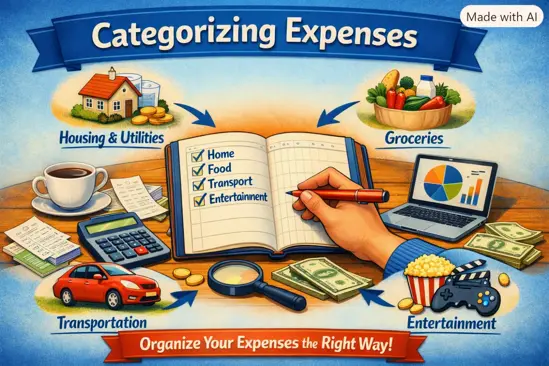
Start with eight to ten broad categories. You can add subcategories later, but only where you need more insight. For example, “Food” is enough until you want to compare grocery shopping with dining out.

  • Housing: rent or mortgage, service charges, household insurance, repairs.
  • Utilities and communications: energy, water, internet, mobile phone.
  • Groceries: food and routine household consumables bought for home.
  • Dining out: restaurants, cafĂ©s, takeaway, food delivery.
  • Transport: public transport, fuel, parking, taxi, vehicle maintenance.
  • Health: prescriptions, dental care, medical appointments, health insurance.
  • Shopping and personal: clothing, toiletries, home items, personal care.
  • Entertainment and subscriptions: streaming, events, hobbies, apps, memberships.
  • Gifts and giving: birthday gifts, donations, celebrations.
  • Savings, debt, and transfers: savings contributions, investments, debt repayments, money moved between your own accounts.

If your household has children, pets, or a business, add a category only if it is significant enough to influence decisions. “Childcare” may deserve its own category; a separate category for occasional pet treats probably does not. In WhizBudget, a free budget app, you can begin with broad categories and refine only the areas where your spending report needs more detail.

How to Categorize Common Gray-Area Purchases

Ambiguous purchases are where category systems usually fail. Use one decision rule: categorize by the main purpose of the purchase, not by the shop name or payment method.

  • Supermarket purchases: put normal food and household basics in Groceries. If you buy a birthday present, party decorations, or clothing during the same shop, split the transaction only when the non-grocery amount is meaningful.
  • Takeaway and meal deals: put ready-to-eat food bought mainly for convenience in Dining out, even if it came from a supermarket. This prevents restaurant and convenience-food spending from hiding inside groceries.
  • Transport: fuel, rail tickets, parking, tolls, bike repairs, and taxis usually belong in Transport. Holiday flights belong in Travel or Holidays if you choose to create that optional category.
  • Shopping: clothing, cosmetics, small home goods, and electronics belong in Shopping and personal. A replacement washing machine can go in Household or Home maintenance if large purchases need separate tracking.
  • Subscriptions: streaming, cloud storage, news apps, and gaming services belong in Entertainment and subscriptions. A professional software subscription belongs in Work expenses.
  • Medical costs: prescriptions, optician costs, dental bills, therapy, and private appointments belong in Health, even if paid irregularly.
  • Gifts: use Gifts and giving rather than Shopping. This shows what you spend on generosity without making your personal shopping figure look inflated.

Do not create a new category for every retailer. “Amazon,” “Tesco,” or “IKEA” are merchants, not meaningful expense categories. The report should explain what the money was for.

How to Handle Mixed, Shared, and Reimbursable Expenses

Mixed transactions happen when one payment covers several purposes. Splitting is helpful, but not always necessary. Use a simple threshold: split a purchase when one part is large enough that placing it in the wrong category would change your view of that category.

For example, a €65 supermarket receipt containing €50 of groceries and a €15 birthday gift can be split between Groceries and Gifts. But there is little value in splitting a €24 shop into €22 groceries and €2 cleaning products unless household supplies are a category you actively manage.

For shared costs, record the amount that is genuinely your responsibility. If you pay €120 for a group dinner and friends repay €90, record either:

  1. the full €120 in Dining out and the €90 repayment as a reimbursement or income offset; or
  2. only your final €30 share in Dining out, if you track the temporary advance separately.

Choose one method and stick to it. Reimbursable work expenses should not distort personal spending. Put the original payment in Work expenses and record the repayment against the same category, leaving the net cost at zero. If your employer has not reimbursed you yet, the category also shows how much is outstanding.

What to Do With Cash Purchases and Unclear Transactions

Cash is easy to lose from a spending report because the bank only shows a cash withdrawal, not the individual purchases. The simplest approach is to categorise each cash purchase when it happens. Keep a short note on your phone, save receipts, or enter the amount immediately in your budget app.

If that is unrealistic, use a “Cash spending” category temporarily, then review it weekly and assign broad categories from memory. Avoid treating every cash withdrawal as miscellaneous; that hides whether cash is being spent on transport, food, or entertainment.

For unclear card transactions, first check the merchant name in your banking app, email receipts, or online search. If you still cannot identify it, place it in an “Unclear transactions” category and investigate it within a few days. This category should normally return to zero. An unfamiliar payment could be a forgotten subscription, a merchant trading under another name, or a transaction worth disputing with your bank.

How to Keep Your Categories Consistent Month After Month

Consistency matters more than theoretical accuracy. A supermarket coffee counted as Groceries one month and Dining out the next will not ruin your budget, but frequent changes make trends unreliable.

Create a short set of category rules and reuse them. For example: “All takeaway is Dining out,” “all recurring digital services are Subscriptions,” and “gifts always go to Gifts and giving.” Save frequent merchants with their usual category when your tool allows it.

  • Keep category names stable for at least three months before changing them.
  • Merge categories that do not lead to different decisions.
  • Split a category only when it repeatedly hides a useful pattern.
  • Use notes for unusual purchases rather than creating one-off categories.
  • Review uncategorised items regularly, not only at year-end.

WhizBudget can help keep personal expense tracking straightforward by giving recurring transactions and frequent merchants consistent labels, while still allowing you to correct exceptions.

Using Categorized Spending Data to Find Actionable Problems

A clear spending report should lead to a specific action, not just a vague intention to “spend less.” Compare each category with its recent average and ask what changed.

For example, if Groceries remain steady but Dining out has risen by €140 for three months, the issue may be convenience meals during busy workweeks. A realistic adjustment could be planning two easy freezer meals and setting a weekly takeaway limit. If Transport jumps because of annual vehicle insurance, that is not necessarily overspending; it is a periodic cost that needs a monthly sinking fund.

Look for categories that are both flexible and recurring. Cancelling an unused €12 subscription may seem small, but it saves €144 a year. Reducing a €45 weekly lunch habit by two days can free more than €300 over a year. Meanwhile, a one-off medical bill should be planned for where possible, not judged as a lifestyle failure.

The strongest reports separate true habits from occasional events. With a manageable category structure, you can identify the next useful budget adjustment and track whether it worked.

FAQs About Categorizing Expenses

How many expense categories should I use?

Most households can start with eight to ten main categories. Add a subcategory only when it reveals a pattern that would change a budget decision, such as separating groceries from dining out.

Should I categorise debt repayments as expenses?

Interest and fees are expenses. Principal repayments reduce debt, so many people track them separately under debt payments rather than mixing them with day-to-day spending. The important point is to keep the treatment consistent.

Where do I put supermarket household items?

Put routine items such as cleaning supplies and toilet paper in Groceries if you want a simple system. Create a separate household category only if those costs are large enough to monitor independently.

How should I handle transfers to savings?

Record savings transfers separately from expenses. They are movements of your money, not consumption. Keeping them separate prevents your spending report from overstating living costs.

What category should work lunches go in?

Use Dining out if you pay personally and are not reimbursed. If your employer will repay the cost, use Work expenses and offset it when the reimbursement arrives.

Is it worth splitting every mixed receipt?

No. Split only when the separate amount is material or when it affects a category you are actively trying to manage. A workable system is more valuable than a perfectly itemised one.

Conclusion: Make Your Spending Report Work for You

Learning how to categorize expenses correctly comes down to a small number of useful labels, clear rules for grey areas, and steady application over time. Classify purchases by purpose, distinguish fixed and variable expenses from periodic and discretionary costs, and avoid categories that are too vague or too detailed to guide action.

Start with your last month of transactions, apply the framework above, and look for one category that deserves attention. Use WhizBudget, the free budget app, to organise transactions, build a clearer spending report, and turn what you learn into a practical next step for your money.

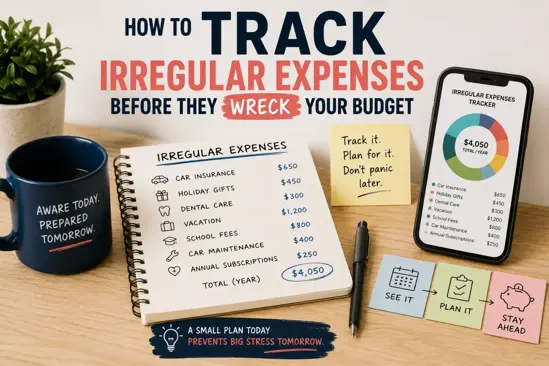
How to Track Irregular Expenses Before They Wreck Your Budget

If your monthly budget looks fine on paper but still falls apart every few weeks, irregular expenses are probably the reason. These are the bills and occasional costs that do not arrive neatly every month: car repairs, annual insurance premiums, school costs, birthday gifts, medical bills, holiday spending, tax payments, appliance repairs, and more.

The problem is not always overspending. Often, the problem is timing. A €600 car insurance bill can feel like an emergency if you only planned for rent, food, transport, and utilities this month. But if you had saved €50 per month for it all year, it would be a normal bill instead of a budget crisis.

This guide explains exactly how to track irregular expenses using a simple expense tracking system. You will learn how to find them, estimate them, convert annual costs into monthly savings targets, and keep them visible before they wreck your budget.

What Are Irregular Expenses?

Irregular expenses are costs that do not happen every month or do not cost the same amount each time. They may be predictable, such as annual insurance, or unpredictable, such as a broken washing machine. Either way, they are real expenses and need a place in your budget.

There are three common types:

  • Fixed non-monthly bills: predictable bills paid quarterly, twice yearly, or annually, such as insurance premiums, vehicle tax, TV licence, professional subscriptions, or property-related charges.
  • Variable occasional costs: costs that happen throughout the year but change in amount, such as gifts, school trips, clothing, dental care, car maintenance, or pet costs.
  • Unexpected expenses: repairs, medical costs, emergency travel, replacement appliances, or other costs that are hard to predict but likely to happen eventually.

A strong irregular expenses budget does not pretend these costs will disappear. It spreads them across the year so you are ready when they arrive.

Why Irregular Expenses Break Most Monthly Budgets

Most people build a monthly budget around regular bills: rent or mortgage, groceries, utilities, transport, phone, subscriptions, and debt payments. This works for stable monthly spending, but it fails when a large non-monthly bill appears.

For example, imagine your normal monthly budget leaves you with €150 spare. That feels safe until the following bills arrive in the same month:

  • Annual car insurance: €520
  • School supplies and activities: €180
  • Two birthday gifts: €90
  • Dental appointment: €110

That is €900 of extra spending in one month. If you did not plan ahead, you may use a credit card, dip into emergency savings, delay another bill, or feel like budgeting does not work.

The monthly budget is not the problem. The missing category is the problem. Budgeting for irregular bills means treating occasional costs as monthly responsibilities before they become urgent.

Common Irregular Expenses You Should Track

Start by making a broad list. Many irregular costs are easy to forget because they only happen once or twice a year. Use the categories below to jog your memory.

  • Car and transport: insurance, vehicle tax, inspection, servicing, tyres, repairs, parking permits, public transport passes, tolls.
  • Home: annual service contracts, boiler maintenance, property tax, council or municipal charges, repairs, furniture, small appliances.
  • Insurance: car, home, health, life, travel, pet, contents, professional liability.
  • Medical and dental: check-ups, prescriptions, glasses, dental treatment, physiotherapy, specialist appointments.
  • Family and school: school supplies, uniforms, trips, sports fees, childcare changes, exam fees.
  • Gifts and celebrations: birthdays, weddings, Christmas, religious holidays, anniversaries, family events.
  • Travel: flights, accommodation, passports, luggage, travel insurance, holiday spending.
  • Pets: vaccinations, vet visits, grooming, insurance excess, food price changes.
  • Subscriptions and memberships: annual software, gym fees, professional memberships, streaming plans paid yearly.
  • Taxes and admin: self-employment tax, accountant fees, visa or residency paperwork, document renewals.

You do not need a perfect list on day one. The goal is to create a tracker that improves every month.

Step 1: Review the Last 12 Months of Spending

The best way to learn how to track irregular expenses is to look backwards before planning forward. Open your bank statements, card statements, budgeting app, or spreadsheet and review the last 12 months.

Search for payments that were:

  • Larger than your usual daily spending
  • Paid quarterly, twice yearly, or annually
  • Related to repairs, maintenance, gifts, medical care, school, pets, or travel
  • Costs that made you say, “I forgot about that”

If you use multiple bank accounts or credit cards, check all of them. Irregular expenses often hide across different payment methods. For example, you may pay insurance from your current account, gifts on a credit card, and vehicle repairs from savings.

Write down the expense name, month paid, amount, and whether it is likely to happen again. This gives you the raw data for your annual expenses tracker.

Step 2: List Every Non-Monthly Bill and Occasional Cost

Next, turn your spending review into a complete list. Do not worry about exact numbers yet. Your first job is to capture every recurring or likely occasional cost.

Separate your list into two groups:

  1. Known upcoming expenses: bills with a due date, such as annual insurance, vehicle inspection, tax payments, or subscription renewals.
  2. Estimated occasional expenses: costs without a fixed date, such as car repairs, clothes, gifts, medical bills, or home maintenance.

This matters because known bills need a due date and monthly savings target. Estimated costs need a realistic annual allowance. Both belong in your expense tracking system.

For example, car insurance may be due every March. Tyre replacement may not have a clear date, but you can still budget for it based on your driving, car age, and previous spending.

Step 3: Estimate the Annual Cost of Each Expense

Once your list is ready, estimate how much each irregular expense costs per year. Use actual spending where possible. If you do not have a full year of data, use a reasonable estimate and adjust later.

Here are practical ways to estimate annual costs:

  • Use last year’s total: If you spent €420 on gifts last year, start with €420 this year.
  • Use the latest bill: If your annual home insurance renewal was €360, use €360 unless you expect a price increase.
  • Use an average: If car repairs were €300 one year and €700 the next, budget around €500.
  • Add a buffer: For categories affected by inflation, repairs, or energy prices, add 5% to 15%.

Be honest rather than optimistic. If you usually spend €800 on Christmas, budgeting €300 will only create a future problem. The purpose of unexpected expenses tracking is not to make your budget look nice. It is to make it reliable.

Step 4: Turn Irregular Expenses Into Monthly Savings Targets

This is the most important step. To stop irregular expenses from damaging your monthly budget, convert each annual cost into a monthly amount.

Use this simple formula:

Annual cost Ă· 12 = monthly savings target

For example:

  • Annual car insurance of €600 Ă· 12 = €50 per month
  • Christmas spending of €720 Ă· 12 = €60 per month
  • Dental costs of €240 Ă· 12 = €20 per month
  • Car maintenance of €900 Ă· 12 = €75 per month

If the bill is due soon, divide by the number of months left before the due date instead.

Amount needed Ă· months remaining = monthly savings target

For example, if your €480 insurance bill is due in four months, you need to save €120 per month for the first year. After paying it, you can switch to €40 per month for the next renewal.

This is the core of budgeting for irregular bills. You are not guessing. You are assigning each future bill a monthly job.

Step 5: Create Separate Tracking Categories or Sinking Funds

After calculating monthly targets, decide where the money will sit. Many people fail here because they keep all spare money in one account and accidentally spend it.

A sinking fund is money saved gradually for a specific future expense. You can use separate bank spaces, savings pots, envelopes, a spreadsheet, or a budgeting tool like WhizBudget to track them.

Common sinking fund categories include:

  • Car costs
  • Insurance renewals
  • Home repairs
  • Medical and dental
  • School and children
  • Gifts and holidays
  • Annual subscriptions
  • Emergency repairs

You do not need 40 separate funds. Too many categories can become hard to manage. Start with 6 to 10 meaningful groups. The key is that money saved for car maintenance should not quietly become restaurant spending.

Step 6: Set Calendar Reminders Before Large Bills Are Due

An annual expenses tracker is much more useful when it includes dates. Add due dates for annual or quarterly bills and set reminders before the money is needed.

Use two reminders for large bills:

  • One month before: check the expected amount, renewal quote, or invoice.
  • One week before: confirm the payment method and make sure the money is in the right account.

This is especially useful for insurance renewals, tax deadlines, school payments, travel balances, and professional subscriptions. In many European countries, annual renewals can increase automatically if you do not compare prices or cancel in time. A reminder gives you time to negotiate, switch provider, or prepare the payment.

Step 7: Review and Adjust Your Tracker Every Month

Your tracker is not a one-time document. Prices change, priorities change, and new expenses appear. At the end of each month, spend 10 to 15 minutes reviewing your irregular expenses budget.

Ask yourself:

  • Did any irregular expense happen this month?
  • Was the amount higher or lower than expected?
  • Do I need to add a new category?
  • Are any annual bills due in the next two months?
  • Am I saving enough each month for upcoming costs?

If you spent €160 on dental care but only budgeted €100 for the year, update your estimate. If your car service was cheaper than expected, keep the extra as a buffer or reduce next month’s target slightly. The aim is progress, not perfection.

Simple Irregular Expense Tracker Example

Here is a simple annual expenses tracker you can copy into a spreadsheet, notebook, or budgeting app. The monthly target is calculated by dividing the annual estimate by 12, unless the due date is sooner.

ExpenseDue Date or TimingAnnual EstimateMonthly TargetCurrent SavedNotes
Car insuranceMarch€600€50€350Compare quotes one month before renewal
Vehicle service and repairsThroughout year€900€75€225Includes tyres and inspection
Christmas and giftsDecember plus birthdays€720€60€300Track birthdays separately if needed
Dental and medicalThroughout year€360€30€90Includes prescriptions and check-ups
School costsAugust and September€480€40€200Uniforms, supplies, trips, activities
Home maintenanceThroughout year€600€50€150Small repairs and appliance replacement

In this example, the total annual estimate is €3,660. Divide that by 12 and the household needs to set aside €305 per month for irregular expenses. Without this tracker, those same costs would appear as stressful surprises throughout the year.

You can build this in WhizBudget by creating categories for your recurring bills, sinking funds, and occasional expenses, then reviewing them during your monthly budget check-in.

Mistakes to Avoid When Tracking Irregular Expenses

Tracking irregular expenses is simple, but a few mistakes can weaken the system.

  • Only tracking annual bills: Repairs, gifts, school costs, and medical expenses can be just as damaging as official bills.
  • Using unrealistic estimates: If you understate costs to make the budget fit, you will still face the real bill later.
  • Forgetting inflation and price increases: Insurance, food, utilities, travel, and repairs may cost more this year than last year.
  • Mixing sinking fund money with spending money: If saved money is too easy to spend, it may disappear before the bill arrives.
  • Ignoring small irregular costs: A €25 school fee, €40 gift, and €60 prescription can add up quickly.
  • Not reviewing monthly: A tracker that is never updated becomes inaccurate fast.

The biggest mistake is treating irregular expenses as exceptions. They are not exceptions. They are part of normal life, so they need a normal place in your budget.

Best Tools for Tracking Irregular Expenses

The best tool is the one you will actually use. Choose something simple enough to update regularly but detailed enough to show what is coming.

Here are practical options:

  • Spreadsheet: Best if you like full control. You can create columns for annual cost, monthly target, due date, and current balance.
  • Budgeting app: Best if you want categories, reminders, and spending reports in one place.
  • Bank savings pots: Useful for separating money physically or digitally from everyday spending.
  • Calendar app: Essential for renewal reminders and tax deadlines.
  • Notebook: Works well if you prefer a paper budget and update it weekly.

A good expense tracking system should answer four questions quickly:

  1. What irregular expenses are coming?
  2. How much will they cost?
  3. How much should I save monthly?
  4. How much have I already saved?

WhizBudget can help you organise these categories and keep your irregular costs visible alongside your normal monthly spending, so your budget reflects real life rather than an ideal month that rarely happens.

FAQs

What is the easiest way to track irregular expenses?

The easiest way is to review your last 12 months of spending, list every non-monthly cost, estimate the annual total, and divide it by 12. Then save that amount monthly in a dedicated category or sinking fund.

How much should I budget for irregular expenses?

Add up your estimated annual irregular expenses and divide the total by 12. For example, if your annual irregular costs are €3,600, you should budget €300 per month. If your income is tight, start with the most important categories first, such as insurance, car repairs, medical costs, and school expenses.

Are irregular expenses the same as emergency expenses?

Not exactly. Irregular expenses are costs that do not happen monthly, but many are predictable, such as annual insurance or Christmas gifts. Emergency expenses are urgent and unexpected, such as a major repair or sudden travel need. You should track both, but keep a separate emergency fund if possible.

Should I use separate bank accounts for irregular expenses?

Separate accounts or savings pots can help because they stop you from spending money meant for future bills. However, you can also use a spreadsheet or budgeting app if you prefer to keep the money in one savings account and track the categories digitally.

What if I cannot save the full monthly target yet?

Start with what you can and prioritise bills that are essential or due soon. Even saving part of the target reduces the shock later. You can also review flexible spending, cancel unused subscriptions, or spread annual bills monthly if the provider offers that option without high fees.

How often should I update my annual expenses tracker?

Update it at least once a month. Also update it whenever you receive a new renewal quote, pay a large irregular bill, or discover a category you forgot. Regular updates keep the tracker accurate and useful.

Conclusion

Irregular expenses do not have to wreck your budget. The key is to stop treating annual bills, repairs, gifts, school costs, insurance premiums, and medical expenses as surprises. Review your past spending, list your non-monthly costs, estimate the annual amount, divide it into monthly savings targets, and track the money in clear categories.

This simple system turns stressful bills into planned expenses. Instead of wondering how to pay for the next renewal or repair, you will already have money set aside.

If you want an easier way to manage monthly spending and irregular costs together, start building your budget with WhizBudget. Create your categories, track your progress, and give every future bill a plan before it reaches your bank account.

Breaking Bad Money Habits: How to Build a Healthier Relationship with Money

Most money problems aren't caused by one big decision. They're caused by small habits repeated every day: the takeaway after a long shift, the "it's only $10" online order, the bill you don't open because you don't want to know. Because they're automatic, willpower alone rarely changes them. A system does.

Common Bad Money Habits

  • Spending without knowing where the money goes
  • Impulse buying, especially online and late at night
  • Paying only the minimum on credit cards
  • Avoiding bank statements and bills
  • Keeping subscriptions you don't use
  • Spending to manage stress, boredom or a bad day
  • Saving "whatever is left" at the end of the month (usually nothing)

Step 1: Notice the Habit

You can't change what you can't see. For 30 days, record every purchase, no matter how small. Don't judge or cut anything yet; just collect the data. Our guide on why tracking your expenses comes first explains why this step changes behaviour on its own.

Step 2: Find the Trigger

Look at your list and ask when and why each unplanned purchase happened. Habits usually follow a pattern: a time of day, a feeling, a place or an app. "I order takeaway when I get home after 8pm" is a trigger you can plan around; "I spend too much" is not.

Step 3: Replace, Don't Just Remove

Removing a habit leaves a gap, and the old habit tends to fill it. Replace it with something that meets the same need more cheaply:

HabitTriggerReplacement
Late-night online shoppingBored on the phone in bedDelete saved cards; add items to a wishlist and decide in 48 hours
Takeaway after workTired, nothing readyTwo freezer meals a week for tired days
Avoiding billsAnxietyA 15-minute "money date" once a week with a coffee
Saving what's leftNothing left on payday + 25Automatic transfer to savings on payday

Step 4: Make the Good Habit Automatic

The most reliable money habits need no willpower. Automate savings on payday (here is how), set bills to pay automatically, and give every category a monthly limit in your budget so you can see how much is left before you spend.

Expect Slip-Ups

You will have weeks when the old habit wins. That doesn't erase your progress. Look at what triggered it, adjust the plan and carry on. If guilt leads to more spending, read our guide on stopping revenge spending after a budget setback.

Build a Healthier Relationship With Money

Breaking habits is easier when money stops feeling like a source of shame. If you tend to avoid your finances altogether, start with our practical plan for money anxiety, and remember that past mistakes are information, not a verdict. Our guide to rebuilding financial confidence can help.

Frequently Asked Questions

How long does it take to break a money habit?

It varies by person and habit. Expect at least a few weeks of consistent practice before the new behaviour feels natural, and longer for habits tied to emotions.

What is the most important money habit to build?

Knowing where your money goes. Almost every other good habit depends on it.

Best Budgeting Apps vs Spreadsheets: How to Choose

Quick answer: the best budgeting app is the one you will still be using in three months. If you want your bank transactions imported automatically and don't mind a subscription, pick an app with bank sync. If you prefer entering spending yourself, want to avoid monthly fees, or care about keeping your bank login private, a manual-entry app like WhizBudget or a spreadsheet will serve you better.

This guide compares the main types of budgeting apps in 2026 with the spreadsheet approach, so you can choose based on how you actually manage money rather than on feature lists.

What to Look for in a Budgeting App

Before comparing names, decide which of these matter to you. They separate the apps far more than design or branding does.

  • Pricing model: free, monthly or annual subscription, or a one-time payment. Over five years, a small monthly fee adds up to far more than most people expect.
  • Bank sync or manual entry: bank sync saves typing but needs access to your bank connection, and imports can break or duplicate. Manual entry takes a minute a day but makes you notice every purchase.
  • Budgeting method: some apps are built around one method, such as zero-based budgeting or envelopes. Others are flexible.
  • Multiple currencies: essential if you earn, save or travel in more than one currency.
  • Irregular expenses: look for sinking funds or savings goals, so annual bills don't wreck your monthly budget.
  • Sharing: if you budget as a couple or family, check that two people can use the same budget.
  • Data export: you should be able to download your history (for example as CSV) and leave whenever you want.

Popular Budgeting Apps Compared

Features and prices change often, so check each provider's website before you commit. This table focuses on the things that rarely change: how each app works and how you pay for it.

AppApproachHow you payTransactions
WhizBudgetFlexible budgets, sinking funds, multi-currency, joint accountsFree plan, or a one-time lifetime upgrade (no subscription)Manual entry
YNAB (You Need A Budget)Zero-based: give every dollar a jobSubscription after a free trialBank sync or manual
EveryDollarZero-based budgetingFree version; paid tier adds bank syncManual (free) or bank sync (paid)
GoodbudgetDigital envelope systemFree version with limits; paid plan for more envelopesManual entry
Monarch MoneyAll-in-one finance dashboardSubscriptionBank sync
PocketGuardShows what is "safe to spend"Free version; paid tier for more featuresBank sync
Spreadsheet (Excel, Google Sheets)Whatever you buildFreeManual entry

If you used Mint, note that it shut down in 2024 and its users were moved to Credit Karma, which is not a full budgeting tool. Many former Mint users are still looking for a replacement.

Budget App vs Spreadsheet

Spreadsheets remain a popular budgeting tool, and for good reason. Here is how they compare with a dedicated app.

Customisation and control

Spreadsheets give you total control over layout, categories and formulas. You can build any system you like, but you also have to build and maintain it.

Budgeting apps give you ready-made categories, charts and monthly views, so you can start in minutes. You trade some flexibility for speed.

Effort and habits

Either way, the habit matters more than the tool. Apps make the daily step faster, especially on your phone at the moment you spend. With a spreadsheet, people often batch-enter receipts at the weekend and then fall behind. Our guide on manual vs automated expense tracking goes deeper on this.

Cost

Spreadsheets are free. Apps range from free to subscriptions that cost the same as a streaming service every month. If you dislike subscriptions, look for a free plan or a one-time payment. WhizBudget's pricing is free to start, with an optional one-off lifetime upgrade.

Privacy

With a spreadsheet, your data stays in your own file or cloud account. Apps with bank sync connect to your bank through a third-party aggregator. Manual-entry apps never need your bank login, which is a middle ground many people prefer.

Which Should You Choose?

If you…Choose
Want transactions imported automaticallyA bank-sync app (usually a subscription)
Want no monthly fees and no bank loginA manual-entry app with a free or one-time plan
Want to follow zero-based budgeting strictlyA zero-based app, or a zero-based template
Budget as a couple or familyAn app with shared or joint accounts
Enjoy building your own systemA spreadsheet
Deal with several currenciesAn app with multi-currency support

How to Get Started in 15 Minutes

  1. List your accounts: cash, current account, savings and any debts.
  2. Pick 6–10 spending categories. Fewer is better at the start.
  3. Set a monthly amount per category based on last month's spending. Our 50/30/20 rule guide is a good starting point.
  4. Record every expense for 30 days. This step is what changes behaviour.
  5. Review at month end and adjust the categories that were unrealistic.

If you want to try this with WhizBudget, the getting started guide walks through accounts, categories and your first transactions. The free plan needs no credit card.

Frequently Asked Questions

Is there a completely free budgeting app?

Yes. Several apps have a free plan, including WhizBudget, EveryDollar and Goodbudget. Free plans usually limit something, such as the number of accounts, envelopes or months of history, so check which limit affects you.

Is a budgeting app better than a spreadsheet?

For most people, yes, because it is quicker to record spending on your phone and the reports are built in. A spreadsheet is better if you want a fully custom system and enjoy maintaining it.

Do budgeting apps need access to my bank account?

Only apps with bank sync do. Manual-entry apps, like WhizBudget, never ask for your bank login.

What replaced Mint?

Mint closed in 2024. Former users have moved to subscription apps with bank sync, to free manual-entry apps, or back to spreadsheets, depending on whether automation or cost matters more to them.

Expense Tracking for Couples: Staying on the Same Financial Page

"Where did all our money go?"
"Do we really need another streaming service?"
"Why are we both paying for groceries?"

If you’ve ever had these thoughts, welcome.
You’re not alone.

Money talks in a relationship.
But sometimes it mumbles, argues, or straight-up ghosts you.

Tracking expenses as a couple sounds boring.
Like budgeting in sweatpants.

But here’s the truth:
If you don’t track it, you’ll fight about it.
And nobody wants to argue about $27 Amazon charges at 11 PM.

So, let’s make this simple.
No spreadsheets from 2009.
No lectures.
Just clear, real advice you can use today.

Let’s get on the same financial page without getting into a yelling match.


Why Expense Tracking for Couples Matters (More Than You Think)

Think of your relationship like a business.
If the money’s unclear, the business fails.
Same with couples.

Without a shared view of your expenses:

  • You overspend on dumb stuff.
  • You double-pay bills.
  • You both feel like the other person’s "bad with money."
  • You start hiding purchases. That’s called financial infidelity. Yes, it’s a thing.

With tracking?

  • You trust each other more.
  • You plan faster.
  • You stop feeling like roommates with separate wallets.

The 3 Types of Couples When It Comes to Money

Let’s call it what it is.

1. The “You Do You” Couple
Each person manages their money separately.
No one knows what’s going on.
Then one day, boom — surprise credit card debt.

2. The “Merged Wallets, Merged Chaos” Couple
All money goes in one pot.
No system.
One person gets blamed every month when things go sideways.

3. The “We’re a Team, Sorta” Couple
They try to budget.
They use ten different apps.
They track everything… until they forget their logins.

Sound familiar?


The Fix: Use One Simple Expense Tracker (Together)

Here’s the deal:
You only need one app.
Use WhizBudget — built for couples who want clarity without the spreadsheets from the Stone Age.

Here’s what makes it easy:

  • Shared dashboards. You both see the same numbers.
  • Real-time updates. Buy coffee? It shows up instantly.
  • Simple categories. No weird labels like “miscellaneous sundries.”
  • Zero fluff. Just what you need. Nothing else.

5 Rules for Tracking Money Without Wanting to Scream

1. Set a time to sync.
Literally.
Pick one day a week to review your spending together.
Like a 15-minute check-in.
Coffee, not conflict.

2. Agree on categories.
Groceries. Rent. Fun.
Keep it simple.
If you both understand it, you’ll actually use it.

3. Be real about your spending.
If you love skincare and your partner loves overpriced coffee, cool.
Track it. No shame.

4. Don’t police each other.
You’re not the budget cop.
You’re partners. Focus on team spending, not gotchas.

5. Automate what you can.
Hook up your accounts.
Let WhizBudget pull it all in.
You track, not type.


Real Talk: What Happens When You Get This Right

You stop the money fights.
You save faster.
You both feel like you’re in control, together.

You can say “yes” to:

  • A weekend trip without panic.
  • Surprise gifts without guilt.
  • A future without weird money tension.

Final Word: Keep It Simple, Keep It Honest

No one’s perfect with money.
But if you can see where it’s going, you can fix it.
And if you track it together, you stay on the same team.

Skip the guesswork.
Use WhizBudget to track your expenses like grown-ups (who still eat cereal for dinner sometimes).


Start now.
Not next week.
Because every dollar untracked is a future argument waiting to happen.

Manual vs. Automated Expense Tracking: Which One’s Right for You?

Manual expense tracking means you record each purchase yourself; automated tracking imports transactions from your bank and categorises them for you. Manual tracking takes a minute or two a day but gives you better awareness of your spending, more accurate categories and more privacy. Automated tracking saves time and misses fewer transactions, but you tend to notice your spending less, and it usually needs bank access and a subscription. If you want to change your habits, start manual; if you mainly want a record with the least effort, choose automated.

When I first started managing my finances, I tried all kinds of budgeting methods: spreadsheets, budgeting apps, and even pen and paper. Over time, I realised that while automated tools can be convenient, manual expense tracking gave me a level of awareness and control that automation just couldn't match. But it isn't right for everyone, so here is an honest comparison.

Manual vs Automated Expense Tracking at a Glance

 Manual trackingAutomated tracking
How it worksYou enter each expense in an app, spreadsheet or notebookThe app connects to your bank and imports transactions
Time needed1–3 minutes a dayA few minutes a week to check categories
Spending awarenessHigh: you notice every purchaseLower: purchases appear without your input
Accuracy of categoriesAs accurate as you make itOften needs fixing
Missed transactionsPossible if you forget to logRare, as long as the bank link works
PrivacyNo bank login sharedNeeds access to your bank data
CostFree or low-cost options are commonOften a monthly subscription
Cash and multiple currenciesEasy to includeCash must be added by hand
Best forChanging habits, tight budgets, privacyBusy people, many accounts, record-keeping

The Case for Manual Expense Tracking

I know, manual tracking sounds tedious. But hear me out, it's a game changer when it comes to understanding your spending habits. When you log every expense yourself, you engage with your finances on a deeper level. Instead of money coming and going without a second thought, you actively see where each dollar is going.

Better spending awareness

Entering each expense makes you pause and think about it. It's a great way to break bad habits and stay accountable, and it's the main reason manual tracking works so well for people trying to cut back.

Full control over your categories

You decide exactly how each purchase is recorded. No algorithm putting your groceries under "shopping" or splitting one shop across three categories.

Flexible

Whether you prefer a spreadsheet, a budgeting journal or an app built for manual entry (like WhizBudget), you can organise your budget your way, including cash spending and accounts in different currencies.

Private and usually cheaper

Many automated apps need your bank login and a monthly subscription. Manual tracking keeps your bank details to yourself, and good free options exist.

What Automated Tracking Does Well

To be fair to automation, it has real strengths:

  • It saves time. Transactions appear on their own, which matters if you have many accounts or a busy household.
  • It misses less. Every card payment is captured, even the ones you would have forgotten to log.
  • It builds a long history. Months of data are imported automatically, which is useful for spotting trends.

Where Automated Tracking Falls Short

  • Less awareness: since transactions are logged without your input, it's easy to lose track of where your money is really going.
  • Categorisation errors: a coffee shop might be "dining" one month and "entertainment" the next, making reports inconsistent unless you fix them.
  • Bank connection problems: links break, banks change their systems, and some banks or countries are not supported at all.
  • Subscription costs: many of the best automated tools charge monthly, which adds another bill to the budget you are trying to control.

Which Should You Choose?

  • Choose manual tracking if you want to spend less, are starting your first budget, use cash often, or don't want to share bank access.
  • Choose automated tracking if you already spend within your means and mainly want a complete record with minimal effort.
  • Use a hybrid if you want both: log spending manually as it happens, then check it against your bank statement once a week to catch anything you missed.

I like the hybrid approach myself: a detailed manual record, plus a quick weekly check against my statements. WhizBudget is built for this kind of manual logging, with customisable categories and an easy-to-read monthly overview.

How to Make Manual Tracking Easy

  • Log it straight away: record each purchase at the till or right after paying. It takes seconds when it's fresh.
  • Keep categories few: 8–12 categories are enough for most people.
  • Do a 5-minute weekly check: compare your log with your bank app and add anything missing.
  • Review monthly: look at totals by category and adjust next month's budget.

For more ideas, see how to track irregular expenses and budgeting apps vs spreadsheets.

FAQs

Is manual expense tracking better than automated?

It is better for awareness and changing habits, because you notice every purchase. Automated tracking is better for saving time and capturing every transaction. Many people get the best results from manual logging plus a weekly check against their bank statement.

How long does manual expense tracking take?

Usually one to three minutes a day if you log purchases as you make them, plus about five minutes a week to check for anything you missed.

Is it safe to connect a budgeting app to my bank?

Reputable apps use read-only connections through regulated providers, but you are still sharing your financial data with another company. If you prefer not to, choose an app that works with manual entry.

What are the alternatives to manual expense tracking?

Bank-connected budgeting apps, importing statement files (CSV) into an app or spreadsheet, or simply using your bank's own spending categories. Each saves time but gives you less day-to-day awareness.

The Bottom Line

The best method is the one that keeps you engaged with your budget and helps you reach your goals. For me, manual tracking has been the most effective way to stay in control, build better habits and understand where my money goes. If time is your biggest constraint, automation or a hybrid can work too. Give manual tracking a month; you might be surprised by how empowering it feels.

Track Your Expenses Daily, Weekly & Monthly with WhizBudget

Tracking your expenses is essential for financial stability and achieving your savings goals. Establishing a structured routine for daily, weekly, and monthly tracking ensures you stay on top of your spending habits. Here’s a step-by-step guide to help you create an effective expense-tracking routine.

Daily Expense Tracking

Tracking expenses daily helps you stay aware of where your money is going. Each day, take a few minutes to record your expenses. Use WhizBudget.com to effortlessly log and categorize your spending, such as groceries, transportation, entertainment, and bills. Reviewing your transactions at the end of the day helps prevent unnecessary spending and keeps you within budget.

Weekly Expense Review

A weekly review helps you analyze patterns and make adjustments. Set aside time at the end of each week to review your recorded expenses on WhizBudget.com. Compare your spending against your budget to see if you’re staying on track. Identify areas where you may have overspent and adjust your spending for the upcoming week accordingly. Use this review session to set short-term spending goals and identify unnecessary expenses to cut back on.

Monthly Expense Analysis

At the end of each month, take a broader look at your finances. Summarize your total expenses and compare them to your income. Identify trends, such as overspending in specific categories or unexpected expenses that need adjustments in your budget. Use WhizBudget.com’s insights and reports to refine your budgeting strategy and make informed financial decisions for the next month.

To make tracking easier, WhizBudget.com offers intuitive features that allow you to categorize expenses, set financial goals, and analyze spending patterns with ease. Automating your expense tracking by linking your bank accounts to WhizBudget.com can help streamline the process and ensure accuracy.

Creating a consistent expense-tracking routine helps you take control of your finances. By setting up daily, weekly, and monthly check-ins with WhizBudget.com, you’ll gain a clear understanding of your spending habits and make informed decisions to achieve financial stability. Start today and take charge of your financial future!

Why Tracking Your Expenses is the First Step to Financial Freedom

If you want to take control of your finances, there’s no better place to start than tracking your expenses. It might not sound glamorous, but understanding where your money goes each month is the foundation of building wealth and achieving financial freedom. Here’s why.

Know Where Your Money Really Goes
It’s easy to underestimate how much you spend on dining out, streaming subscriptions, or spontaneous online shopping. Tracking your expenses reveals these hidden patterns and helps you identify areas where you can cut back without sacrificing your lifestyle.

Take Control of Your Cash Flow
When you track your spending, you’re no longer guessing whether you’ll have enough to cover your bills or save for the future. You’ll know exactly how much is coming in and going out, giving you confidence and control over your finances.

Set Realistic Financial Goals
Whether you’re saving for a vacation, paying off debt, or building an emergency fund, tracking your expenses makes these goals achievable. You can see where you need to adjust your spending and create a clear plan to reach your targets.

Reduce Financial Stress
Money-related stress often comes from uncertainty. When you have a clear picture of your finances, you’ll feel more secure, knowing you’re prepared for both expected and unexpected expenses.

Build Better Spending Habits
Expense tracking isn’t about restricting yourself; it’s about making informed decisions. Over time, you’ll naturally become more mindful of your spending and learn to prioritize what truly matters to you.

How to Get Started
Starting is simple. Use a budgeting web app like WhizBudget, a spreadsheet, or even a notebook. The key is consistency, record every purchase, categorize your expenses, and review your progress regularly.

Financial freedom doesn’t happen overnight, but tracking your expenses puts you on the right path. Take the first step today, and you’ll be amazed at how quickly you can transform your financial future.

How to Review Your Spending Over the Last 6 Months and Adjust

Taking a step back to review your spending every six months is one of the smartest financial habits you can build. It helps you see exactly where your money is going, identify patterns, and make adjustments to ensure you stay on track with your goals.

Start by gathering your financial data. Look through bank statements, and credit card transactions, or even better - use WhizBudget's overview charts. The goal is to get a clear picture of your income, expenses, and savings over the past half-year. This step becomes much easier if you’ve been using a tool that tracks your spending like WhizBudget.

Next, categorize your spending. Group your expenses into categories like groceries, dining out, utilities, rent or mortgage, transportation, subscriptions, and entertainment. Seeing how much you spend in each area can be eye-opening, especially if certain categories are higher than expected. Once again, WhizBudget does that for you automatically.

Look for trends and red flags. Are you consistently overspending in certain areas? Do you have subscriptions or services you no longer use? Identifying these patterns helps you pinpoint where to cut back without feeling deprived.

Compare your actual spending to your budget (if you have one). If you’re spending more than you earn, or your savings aren’t growing as fast as you’d like, it’s time to adjust. Set new, realistic limits for categories where you’ve been overspending and consider reallocating funds to more important goals, like debt repayment or an emergency fund.

A helpful mindset shift is to ask yourself, “Is my spending aligned with my values and priorities?” If your financial habits aren’t helping you build the life you want, that’s a clear sign adjustments are needed.

Make a plan for the next six months. Update your budget based on what you’ve learned, and set specific goals, whether that’s cutting back on dining out, saving more for a vacation, or building up a larger cushion for unexpected expenses.

Lastly, schedule your next review. Making this a regular practice, not just a one-time effort, keeps you mindful, proactive, and in control of your financial journey. The more often you check-in, the easier it becomes to stay on track and adjust when life inevitably throws curveballs.