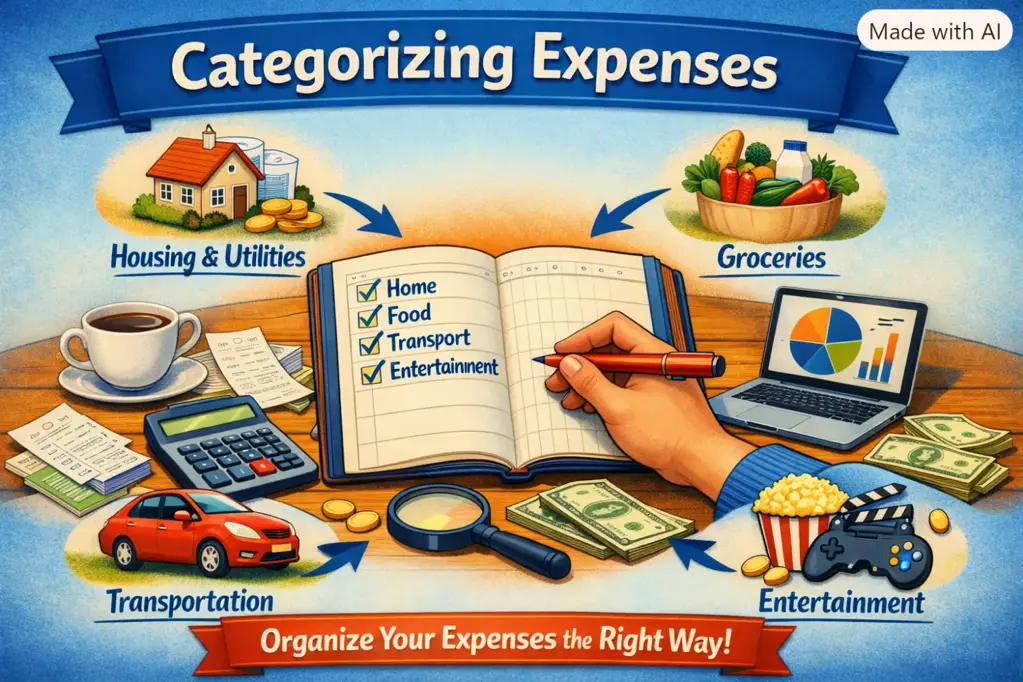
How to Categorize Expenses Correctly: A Practical System for Clearer Spending Reports
Knowing how to categorize expenses is one of the fastest ways to make a budget useful. If every purchase lands in a vague “other” bucket, or if you have 40 tiny categories that change every month, your spending report cannot tell you what to fix. A practical system gives each transaction a clear home, makes trends visible, and helps you make decisions without turning personal expense tracking into a full-time job.
The goal is not perfect bookkeeping. It is consistent, meaningful information. Use a small set of categories, apply the same rules each month, and only add detail when it helps you change a spending decision.
Why Accurate Expense Categories Matter for Your Budget
Expense categories turn a list of bank transactions into a clear picture of your financial habits. They show whether rising costs come from rent, supermarket shops, transport, subscriptions, or spontaneous purchases. Without categories, it is easy to feel that money “disappears” without knowing why.
Good categories make a spending report useful because they help you answer practical questions:
- How much do essential household costs take from monthly income?
- Are restaurant meals replacing planned grocery spending?
- Which subscriptions are still worth keeping?
- How much should be set aside for annual insurance, holidays, or car maintenance?
- Which spending can be reduced without affecting core needs?
For most people, the best category system is not the most detailed one. It is the one you can apply quickly and consistently. If you cannot decide where a transaction belongs in a few seconds, your system is probably too complicated.
The Difference Between Fixed, Variable, Periodic, and Discretionary Expenses
Before choosing labels, understand the different ways expenses behave. These descriptions can sit alongside your normal expense categories and make planning easier.
| Expense type | What it means | Examples | Budget approach |
|---|---|---|---|
| Fixed | Usually the same amount and date | Rent, mortgage, mobile contract, loan payment | Reserve the amount every month |
| Variable | Essential but changes from month to month | Groceries, electricity, fuel, medicines | Set a realistic average and monitor changes |
| Periodic | Paid less often than monthly | Annual insurance, vehicle service, council charges | Divide the annual cost into monthly savings |
| Discretionary | Optional or flexible spending | Dining out, hobbies, clothes, entertainment | Set a limit based on priorities |
Do not confuse these labels with needs vs wants budgeting. A gym membership may be fixed because it is paid monthly, but it may still be discretionary. Groceries are usually a need and variable. Separating these ideas lets you see both how predictable a cost is and how flexible it is when money is tight.
A Simple Expense Category System That Works
Start with eight to ten broad categories. You can add subcategories later, but only where you need more insight. For example, “Food” is enough until you want to compare grocery shopping with dining out.
- Housing: rent or mortgage, service charges, household insurance, repairs.
- Utilities and communications: energy, water, internet, mobile phone.
- Groceries: food and routine household consumables bought for home.
- Dining out: restaurants, cafés, takeaway, food delivery.
- Transport: public transport, fuel, parking, taxi, vehicle maintenance.
- Health: prescriptions, dental care, medical appointments, health insurance.
- Shopping and personal: clothing, toiletries, home items, personal care.
- Entertainment and subscriptions: streaming, events, hobbies, apps, memberships.
- Gifts and giving: birthday gifts, donations, celebrations.
- Savings, debt, and transfers: savings contributions, investments, debt repayments, money moved between your own accounts.
If your household has children, pets, or a business, add a category only if it is significant enough to influence decisions. “Childcare” may deserve its own category; a separate category for occasional pet treats probably does not. In WhizBudget, a free budget app, you can begin with broad categories and refine only the areas where your spending report needs more detail.
How to Categorize Common Gray-Area Purchases
Ambiguous purchases are where category systems usually fail. Use one decision rule: categorize by the main purpose of the purchase, not by the shop name or payment method.
- Supermarket purchases: put normal food and household basics in Groceries. If you buy a birthday present, party decorations, or clothing during the same shop, split the transaction only when the non-grocery amount is meaningful.
- Takeaway and meal deals: put ready-to-eat food bought mainly for convenience in Dining out, even if it came from a supermarket. This prevents restaurant and convenience-food spending from hiding inside groceries.
- Transport: fuel, rail tickets, parking, tolls, bike repairs, and taxis usually belong in Transport. Holiday flights belong in Travel or Holidays if you choose to create that optional category.
- Shopping: clothing, cosmetics, small home goods, and electronics belong in Shopping and personal. A replacement washing machine can go in Household or Home maintenance if large purchases need separate tracking.
- Subscriptions: streaming, cloud storage, news apps, and gaming services belong in Entertainment and subscriptions. A professional software subscription belongs in Work expenses.
- Medical costs: prescriptions, optician costs, dental bills, therapy, and private appointments belong in Health, even if paid irregularly.
- Gifts: use Gifts and giving rather than Shopping. This shows what you spend on generosity without making your personal shopping figure look inflated.
Do not create a new category for every retailer. “Amazon,” “Tesco,” or “IKEA” are merchants, not meaningful expense categories. The report should explain what the money was for.
How to Handle Mixed, Shared, and Reimbursable Expenses
Mixed transactions happen when one payment covers several purposes. Splitting is helpful, but not always necessary. Use a simple threshold: split a purchase when one part is large enough that placing it in the wrong category would change your view of that category.
For example, a €65 supermarket receipt containing €50 of groceries and a €15 birthday gift can be split between Groceries and Gifts. But there is little value in splitting a €24 shop into €22 groceries and €2 cleaning products unless household supplies are a category you actively manage.
For shared costs, record the amount that is genuinely your responsibility. If you pay €120 for a group dinner and friends repay €90, record either:
- the full €120 in Dining out and the €90 repayment as a reimbursement or income offset; or
- only your final €30 share in Dining out, if you track the temporary advance separately.
Choose one method and stick to it. Reimbursable work expenses should not distort personal spending. Put the original payment in Work expenses and record the repayment against the same category, leaving the net cost at zero. If your employer has not reimbursed you yet, the category also shows how much is outstanding.
What to Do With Cash Purchases and Unclear Transactions
Cash is easy to lose from a spending report because the bank only shows a cash withdrawal, not the individual purchases. The simplest approach is to categorise each cash purchase when it happens. Keep a short note on your phone, save receipts, or enter the amount immediately in your budget app.
If that is unrealistic, use a “Cash spending” category temporarily, then review it weekly and assign broad categories from memory. Avoid treating every cash withdrawal as miscellaneous; that hides whether cash is being spent on transport, food, or entertainment.
For unclear card transactions, first check the merchant name in your banking app, email receipts, or online search. If you still cannot identify it, place it in an “Unclear transactions” category and investigate it within a few days. This category should normally return to zero. An unfamiliar payment could be a forgotten subscription, a merchant trading under another name, or a transaction worth disputing with your bank.
How to Keep Your Categories Consistent Month After Month
Consistency matters more than theoretical accuracy. A supermarket coffee counted as Groceries one month and Dining out the next will not ruin your budget, but frequent changes make trends unreliable.
Create a short set of category rules and reuse them. For example: “All takeaway is Dining out,” “all recurring digital services are Subscriptions,” and “gifts always go to Gifts and giving.” Save frequent merchants with their usual category when your tool allows it.
- Keep category names stable for at least three months before changing them.
- Merge categories that do not lead to different decisions.
- Split a category only when it repeatedly hides a useful pattern.
- Use notes for unusual purchases rather than creating one-off categories.
- Review uncategorised items regularly, not only at year-end.
WhizBudget can help keep personal expense tracking straightforward by giving recurring transactions and frequent merchants consistent labels, while still allowing you to correct exceptions.
Using Categorized Spending Data to Find Actionable Problems
A clear spending report should lead to a specific action, not just a vague intention to “spend less.” Compare each category with its recent average and ask what changed.
For example, if Groceries remain steady but Dining out has risen by €140 for three months, the issue may be convenience meals during busy workweeks. A realistic adjustment could be planning two easy freezer meals and setting a weekly takeaway limit. If Transport jumps because of annual vehicle insurance, that is not necessarily overspending; it is a periodic cost that needs a monthly sinking fund.
Look for categories that are both flexible and recurring. Cancelling an unused €12 subscription may seem small, but it saves €144 a year. Reducing a €45 weekly lunch habit by two days can free more than €300 over a year. Meanwhile, a one-off medical bill should be planned for where possible, not judged as a lifestyle failure.
The strongest reports separate true habits from occasional events. With a manageable category structure, you can identify the next useful budget adjustment and track whether it worked.
FAQs About Categorizing Expenses
How many expense categories should I use?
Most households can start with eight to ten main categories. Add a subcategory only when it reveals a pattern that would change a budget decision, such as separating groceries from dining out.
Should I categorise debt repayments as expenses?
Interest and fees are expenses. Principal repayments reduce debt, so many people track them separately under debt payments rather than mixing them with day-to-day spending. The important point is to keep the treatment consistent.
Where do I put supermarket household items?
Put routine items such as cleaning supplies and toilet paper in Groceries if you want a simple system. Create a separate household category only if those costs are large enough to monitor independently.
How should I handle transfers to savings?
Record savings transfers separately from expenses. They are movements of your money, not consumption. Keeping them separate prevents your spending report from overstating living costs.
What category should work lunches go in?
Use Dining out if you pay personally and are not reimbursed. If your employer will repay the cost, use Work expenses and offset it when the reimbursement arrives.
Is it worth splitting every mixed receipt?
No. Split only when the separate amount is material or when it affects a category you are actively trying to manage. A workable system is more valuable than a perfectly itemised one.
Conclusion: Make Your Spending Report Work for You
Learning how to categorize expenses correctly comes down to a small number of useful labels, clear rules for grey areas, and steady application over time. Classify purchases by purpose, distinguish fixed and variable expenses from periodic and discretionary costs, and avoid categories that are too vague or too detailed to guide action.
Start with your last month of transactions, apply the framework above, and look for one category that deserves attention. Use WhizBudget, the free budget app, to organise transactions, build a clearer spending report, and turn what you learn into a practical next step for your money.
More From the Blog



Joke of the day by GiggleTime