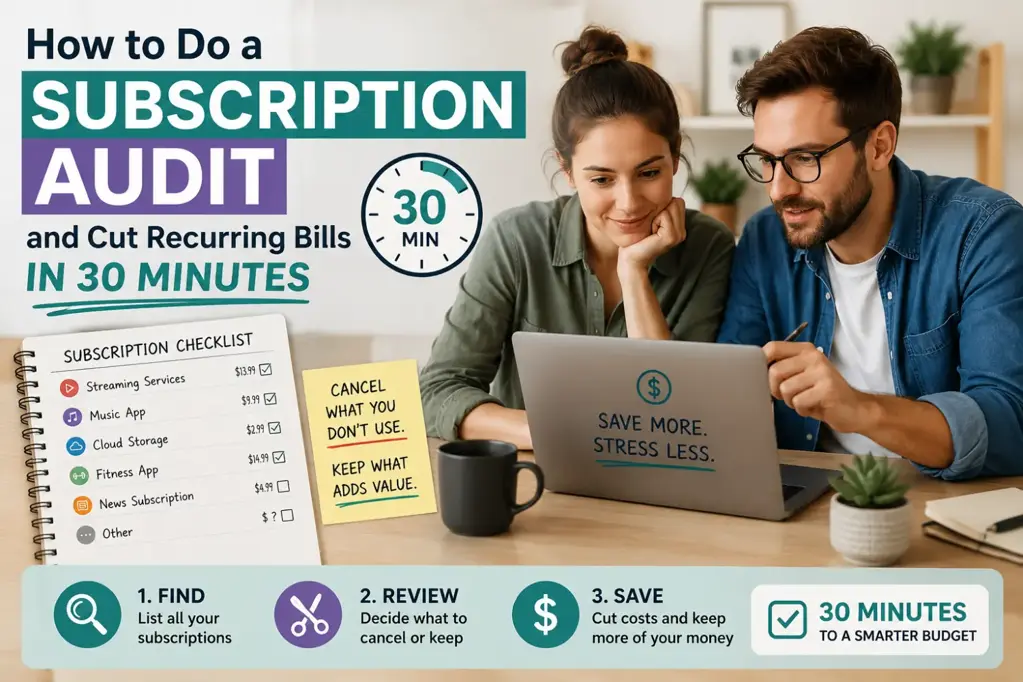
How to Do a Subscription Audit and Cut Recurring Bills in 30 Minutes
If your monthly bills feel higher than they used to, the problem may not be one big expense. It may be ten small recurring payments quietly leaving your account every month. Streaming services, cloud storage, fitness apps, delivery memberships, news subscriptions, software tools, game passes and free trials can add up quickly.
A subscription audit is a fast review of every recurring payment you make. The aim is simple: find what you still use, cancel what you do not, downgrade what is too expensive, and stop future renewals from surprising you. You do not need a complicated spreadsheet or a full afternoon. With the right process, you can do a useful subscription audit in about 30 minutes.
This guide gives you a practical recurring payments checklist, cancellation tips, a keep-or-cut framework, and a simple subscription budget tracker you can use to reduce monthly bills without cutting things you genuinely value.
Why Recurring Subscriptions Quietly Drain Your Budget
Subscriptions are easy to start and easy to forget. Many cost less than a takeaway, so they feel harmless. But the real issue is that they repeat automatically. A €9.99 payment may not worry you in January, but if it continues all year, that single subscription costs almost €120.
Recurring payments also avoid the usual spending decision. When you buy something in a shop, you actively choose to pay. With subscriptions, the choice was often made months ago. After that, your bank account or credit card is charged without you thinking about it.
Common reasons subscriptions become budget leaks include:
- Free trials converting into paid plans after seven, 14 or 30 days.
- Introductory discounts ending and the price increasing quietly.
- Annual renewals landing at the worst possible time.
- Duplicate services, such as paying for several streaming platforms but watching only one.
- App store subscriptions that do not appear under the company name you recognise.
- Family members signing up using shared cards or household accounts.
The goal is not to cancel everything and make life miserable. The goal is to save money on subscriptions you no longer use, no longer need, or could access in a cheaper way.
Step 1: Pull Every Subscription From Bank and Credit Card Statements
Start with the accounts where money actually leaves. Open your online banking and credit card apps. Look at the last three months of transactions. If you have many annual subscriptions, extend your search to 12 months where possible.
Use the search function and look for words such as:
- subscription
- membership
- premium
- monthly
- annual
- renewal
- Apple
- PayPal
- Spotify, Netflix, Amazon, Adobe, Microsoft, iCloud or other known providers
Write down every recurring payment you find. Do not decide yet whether it should stay or go. The first job is to build the full list.
For each subscription, record:
- Provider name
- Amount charged
- Billing frequency, such as monthly, quarterly or annual
- Payment method
- Last charge date
- Who uses it in your household
If your bank categorises card payments automatically, check the categories for entertainment, software, communications, insurance, apps and memberships. Some charges look vague. For example, a payment may appear as a billing processor rather than the actual subscription brand. If you do not recognise a transaction, search the exact merchant name online or check your email for receipts.
Step 2: Check App Stores, PayPal, and Digital Wallets for Hidden Charges
Many unused subscriptions are hidden away from your normal bank statement. You may see a broad charge from Apple, Google or PayPal but not realise it includes several smaller subscriptions.
Check these places carefully:
- Apple App Store: Go to your Apple ID, then subscriptions, to view active and expired app subscriptions.
- Google Play: Open payments and subscriptions in your Google account to see recurring app charges.
- PayPal: Review automatic payments, billing agreements and pre-approved payments.
- Amazon account: Check Prime, channels, Kindle, Audible and subscribe-and-save orders.
- Digital wallets: Review recurring card payments linked to Apple Pay, Google Pay or other wallet services.
- Mobile phone bill: Some app purchases, premium services or add-ons may be charged through your mobile provider.
- Email inbox: Search for terms such as receipt, invoice, renewal, trial ending, subscription and payment successful.
This step is important if you want to know how to cancel unused subscriptions properly. Cancelling an app on your phone does not always cancel the paid plan. Deleting an app usually removes the app only, not the recurring charge. You must cancel through the platform or provider that manages billing.
Step 3: Sort Subscriptions Into Keep, Cancel, Downgrade, and Pause
Once you have your list, sort every subscription into one of four decisions: keep, cancel, downgrade or pause. This keeps the audit practical and stops you from overthinking every small payment.
| Decision | Use this when | Example |
|---|---|---|
| Keep | You use it often, it gives clear value, and the price is fair. | A music subscription used daily by the household. |
| Cancel | You rarely use it, forgot about it, or signed up for a one-off need. | A language app you have not opened in three months. |
| Downgrade | You still use it, but you do not need the premium tier. | Cloud storage with more space than you need. |
| Pause | You use it seasonally or only for a specific period. | A sports streaming pass outside the season. |
Use a simple rule: if you have not used a subscription in the last 30 days, it must justify its place. If you have not used it in the last 90 days, it should usually be cancelled unless there is a clear reason to keep it.
Ask these questions:
- Did I use this in the last month?
- Would I sign up again today at the current price?
- Is there a free or cheaper alternative?
- Am I paying for the same benefit somewhere else?
- Does anyone in my household actually use it?
- Would cancelling this affect work, health, education or essential communication?
This framework helps you avoid random cuts. Some subscriptions are worth keeping because they replace more expensive spending. For example, a well-used streaming service may be cheaper than regular cinema trips. But a forgotten €7.99 app is simply waste.
Step 4: Calculate the True Annual Cost Before Deciding
Monthly prices make subscriptions feel smaller than they are. To make a better decision, convert every recurring payment into an annual cost.
Use these calculations:
- Monthly cost x 12 = annual cost
- Weekly cost x 52 = annual cost
- Quarterly cost x 4 = annual cost
Then add all annual costs together. This number often changes how you see your subscriptions. A household with five modest subscriptions can easily spend €600 to €1,200 a year.
| Subscription | Monthly Cost | Annual Cost | Decision |
|---|---|---|---|
| Streaming service A | €12.99 | €155.88 | Keep |
| Streaming service B | €9.99 | €119.88 | Pause |
| Cloud storage | €9.99 | €119.88 | Downgrade |
| Fitness app | €14.99 | €179.88 | Cancel |
| News subscription | €6.99 | €83.88 | Keep |
| Total | €54.95 | €659.40 | Review |
If you cancel only the fitness app and pause one streaming service for six months, you could save about €240 in a year. That is a meaningful amount for an emergency fund, debt repayment, a holiday budget or rising energy costs.
Step 5: Cancel Unused Subscriptions Without Getting Trapped by Retention Offers
Knowing how to cancel unused subscriptions is just as important as finding them. Many companies make cancellation slower than sign-up. You may be shown discounts, warnings, surveys or limited-time offers before you can leave.
Use this cancellation process:
- Log in to the account where the subscription is managed.
- Go to billing, account, membership or subscription settings.
- Choose cancel, end membership or turn off auto-renewal.
- Continue through every confirmation screen until you receive a final cancellation message.
- Save or screenshot the confirmation.
- Check your email for a cancellation receipt.
- Set a reminder to confirm no further payment is taken.
Be careful with retention offers. A provider may offer three months at 50% off or a free extension. This is useful only if you were genuinely planning to keep using the service. If the subscription is unused, a discount does not make it good value. Paying €4.99 for something you do not use is still wasted money.
If you are cancelling because the price increased, say no to extra features unless they solve a real need. If you are cancelling because you forgot the subscription existed, do not accept another trial period. Cancel cleanly and move on.
For European consumers, it is also worth checking your rights if a provider makes cancellation difficult. Many countries have rules around clear pricing, renewal information and unfair contract terms. If you believe a charge was taken incorrectly after cancellation, contact the provider first, then your bank or card issuer if needed.
Step 6: Downgrade or Share Plans Where It Makes Financial Sense
Not every subscription should be cancelled. Sometimes the better choice is to downgrade. Premium tiers often include features most people do not use: extra screens, more storage, advanced editing tools, faster delivery, exclusive content or business functions.
Look for downgrade opportunities in:
- Streaming: Move from premium to standard if you do not need multiple screens or ultra-high definition.
- Cloud storage: Delete old files and choose a smaller plan.
- Software: Switch from professional plans to personal plans if advanced tools are unused.
- Mobile plans: Reduce data if you regularly use Wi-Fi and never reach your allowance.
- Delivery memberships: Cancel or downgrade if order frequency has dropped.
- Gym and fitness apps: Move to a cheaper off-peak, basic or app-only option if suitable.
Sharing can also reduce costs, but only when it follows the provider’s terms. Family plans for music, cloud storage or productivity software can be good value if several people in the same household use them. Avoid informal sharing that breaks account rules or creates privacy problems.
Before downgrading, check whether you will lose important data, saved files or access to features you rely on. For example, reducing cloud storage below your current usage may stop backups. Download or organise files first.
Step 7: Set Renewal Reminders for Annual and Free-Trial Subscriptions
Annual subscriptions are easy to miss because they do not appear every month. Free trials are risky because you often sign up when you are busy and forget the renewal date. A good subscription audit should not only reduce monthly bills today; it should also prevent surprise charges later.
Set reminders for:
- Annual renewals
- Free trial end dates
- Introductory price expiry dates
- Contract end dates
- Price increase dates
- Seasonal subscriptions you plan to pause
Set the reminder at least seven days before the renewal. For expensive annual plans, set it 30 days before. This gives you time to compare alternatives, cancel during the correct window, or move your data before access ends.
A useful rule is to cancel free trials immediately after signing up if you are allowed to keep access until the trial ends. If the service removes access as soon as you cancel, set two reminders: one a few days before the end and one on the final day.
Step 8: Build a Simple Subscription Tracker to Prevent Future Waste
A subscription budget tracker does not need to be complicated. A small table is enough. The purpose is to make every recurring payment visible in one place.
Your tracker should include these columns:
- Subscription name
- Category
- Cost
- Billing frequency
- Annual cost
- Payment method
- Renewal date
- Decision
- Cancellation link or notes
| Name | Cost | Frequency | Annual Cost | Renewal | Decision |
|---|---|---|---|---|---|
| Music plan | €10.99 | Monthly | €131.88 | 15th monthly | Keep |
| Meal planning app | €29.99 | Annual | €29.99 | 10 September | Review |
| TV add-on | €7.99 | Monthly | €95.88 | 2nd monthly | Cancel |
You can build this in a spreadsheet, notes app or budgeting app. WhizBudget can help by making recurring payments easier to spot within your wider spending picture, so you can see whether subscriptions are taking too much of your monthly income.
Update your tracker whenever you sign up for something new. Add the renewal date immediately, not later. If you keep the tracker current, your next subscription audit should take less than 10 minutes.
Simple 30-Minute Subscription Audit Checklist
Use this checklist if you want a fast, focused audit. Set a timer for 30 minutes and work through the steps in order.
- Minutes 0–5: Open bank and credit card accounts. Scan the last three months for recurring payments.
- Minutes 5–10: Check Apple, Google Play, PayPal, Amazon and digital wallets for hidden subscriptions.
- Minutes 10–15: Write every subscription into one list with cost, frequency and payment method.
- Minutes 15–20: Convert monthly and quarterly payments into annual costs.
- Minutes 20–25: Mark each subscription as keep, cancel, downgrade or pause.
- Minutes 25–30: Cancel the easiest unused subscriptions and set reminders for the rest.
If you run out of time, prioritise cancellations first. You can improve your tracker later, but every cancelled unused subscription stops future waste.
Common Subscription Audit Mistakes to Avoid
A subscription audit is simple, but a few mistakes can reduce your savings or create hassle. Avoid these common problems.
- Only checking one bank account: If you use multiple cards, PayPal or app stores, you may miss hidden charges.
- Deleting apps instead of cancelling plans: This usually does not stop billing.
- Accepting discounts on unused services: A cheaper waste is still waste.
- Ignoring annual renewals: One annual charge can be larger than several monthly payments.
- Forgetting household users: Ask your partner, children or flatmates before cancelling shared services.
- Not saving cancellation proof: Keep confirmations in case you are charged again.
- Replacing cancelled subscriptions too quickly: Wait a few weeks before signing up for an alternative.
Another mistake is cutting subscriptions that reduce larger costs. For example, a budgeting app, tax software or work-related tool may help you avoid bigger financial problems. The point is not to reduce the number of subscriptions to zero. The point is to keep only the ones that earn their place in your budget.
Example: How a €15 Monthly Subscription Becomes a €180 Annual Leak
A €15 monthly charge does not feel dramatic. It may be less than lunch for two or one small online order. But over a year, it becomes €180. If you have five similar subscriptions, that becomes €900 a year.
Here is how small recurring payments build up:
| Monthly Subscription Cost | Annual Cost | Five Similar Subscriptions |
|---|---|---|
| €5 | €60 | €300 |
| €10 | €120 | €600 |
| €15 | €180 | €900 |
| €20 | €240 | €1,200 |
Imagine you signed up for a €15 fitness app in January during a health reset. You used it for three weeks, then stopped. If you never cancel, you pay €180 for something that gave you less than one month of value. That money could cover part of an insurance bill, a train pass, school costs, or a stronger savings buffer.
This is why annualising costs is powerful. It turns a forgettable monthly charge into a real budget decision.
Where Hidden Subscriptions Often Appear
If you still feel that something is missing after your first audit, check the less obvious places. Hidden subscriptions often appear under categories that do not look like entertainment or apps.
- Browser extensions: Writing tools, VPNs, coupon tools and security add-ons.
- Cloud services: Photo storage, backup tools and file sharing plans.
- Learning platforms: Language courses, online classes and professional training.
- Gaming: Game passes, in-game memberships and console network plans.
- News and magazines: Digital newspapers, newsletters and specialist publications.
- Health and fitness: Workout apps, meditation apps, calorie trackers and gym add-ons.
- Shopping memberships: Delivery passes, premium shipping and grocery subscription boxes.
- Finance tools: Credit monitoring, investment research, invoicing tools and budgeting apps.
Also check subscriptions billed in foreign currencies. A small dollar or pound payment can change slightly each month due to exchange rates and card fees. If you live in the eurozone or elsewhere in Europe and pay for services outside your currency area, include the real converted amount in your tracker.
How Often Should You Do a Subscription Audit?
A full subscription audit every three months is enough for most households. This gives you regular control without turning budgeting into a chore. You should also do a quick audit after major life changes, such as moving home, changing jobs, having a baby, starting university, or combining finances with a partner.
Use this schedule:
- Monthly: Check new recurring payments and unexpected charges.
- Quarterly: Review all subscriptions and cancel unused services.
- Annually: Review annual plans, insurance add-ons, software renewals and household memberships.
If your income is irregular or your bills are rising, do the audit monthly until your budget feels stable. A tool like WhizBudget can make this easier by helping you compare subscription spending against other categories, such as groceries, transport and utilities.
FAQs
What is a subscription audit?
A subscription audit is a review of all your recurring payments. You list every monthly, annual or trial-based subscription, check whether you still use it, calculate the annual cost, and decide whether to keep, cancel, downgrade or pause it.
How long does a subscription audit take?
A basic subscription audit can take about 30 minutes if you focus on bank statements, credit cards, app stores, PayPal and digital wallets. A deeper audit that includes 12 months of annual renewals may take longer, but it can uncover bigger savings.
How do I find subscriptions I forgot about?
Check your bank and credit card statements, Apple App Store, Google Play, PayPal automatic payments, Amazon memberships, digital wallets, mobile phone bills and email receipts. Search your inbox for words such as renewal, invoice, subscription, trial and payment.
Should I cancel all subscriptions to save money?
No. Cancel unused or poor-value subscriptions, but keep the ones you use regularly and can afford. Some subscriptions may replace more expensive spending or support work, education, health or family life. The goal is to reduce recurring payment waste, not remove every useful service.
Is it better to cancel or downgrade a subscription?
Cancel if you rarely use the service or would not sign up again today. Downgrade if you still use it but do not need the premium tier. For example, you might keep a cloud storage plan but move to a smaller package after deleting old files.
How can I avoid being charged after a free trial?
Set a reminder as soon as you start the trial. If possible, cancel immediately while keeping access until the trial ends. If that is not allowed, set reminders a few days before the renewal and again on the final day.
What should I do if a subscription charges me after cancellation?
First, contact the provider with your cancellation confirmation. If they do not resolve it, contact your bank, card issuer or payment platform. Keep screenshots and emails as proof. For larger or repeated charges, check local consumer protection guidance in your country.
Conclusion
A subscription audit is one of the fastest ways to reduce monthly bills without changing your whole lifestyle. In 30 minutes, you can find hidden charges, cancel unused subscriptions, downgrade overpriced plans and set reminders before annual renewals hit your account.
Start with your bank statements, check app stores and digital wallets, calculate the annual cost, then sort each service into keep, cancel, downgrade or pause. The key is visibility. Once every recurring payment is in one place, the waste becomes much easier to cut.
If your bills are creeping up, do your audit today and add the results to your budget. WhizBudget can help you track recurring payments, understand where your money is going, and build a spending plan that supports your real priorities. Start with one cancelled subscription, then put the savings to work.
More From the Blog



Joke of the day by GiggleTime