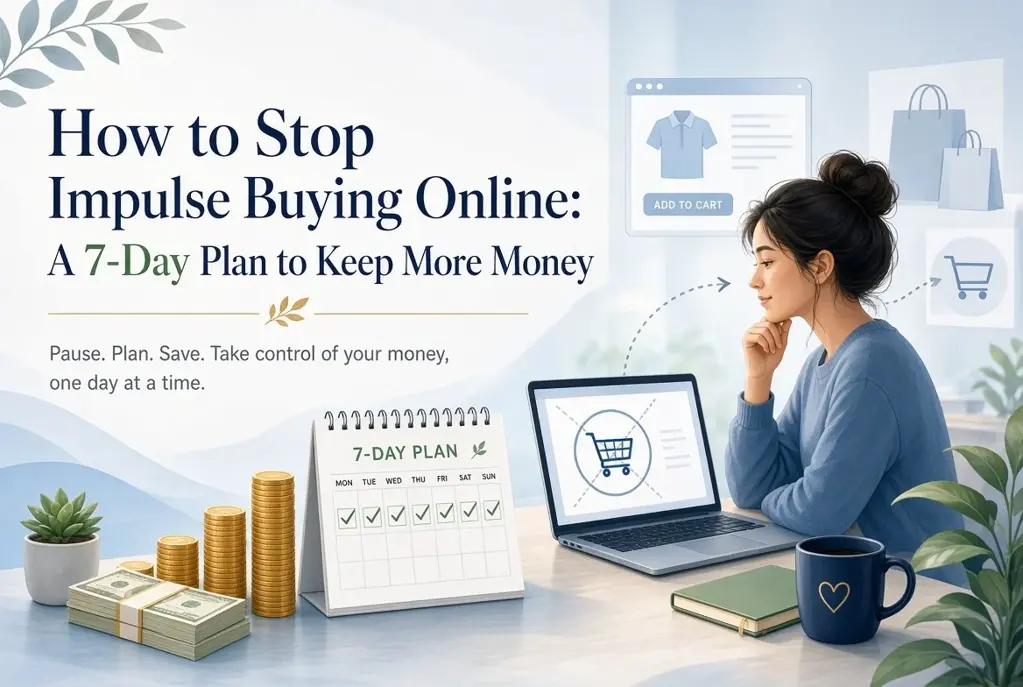
How to Stop Impulse Buying Online: A 7-Day Plan to Keep More Money
Online shopping is designed to make spending feel effortless: a saved card, one-click checkout, free delivery thresholds and a countdown timer can turn a passing thought into a purchase in minutes. If you want to learn how to stop impulse buying online, you do not need perfect self-control or a harsh no-spend rule. You need a system that makes buying slightly slower and deciding much clearer.
This seven-day reset focuses on your shopping environment. By adding a few useful obstacles between the urge and the checkout button, you can reduce online impulse buying while still buying things you genuinely need and enjoy.
Why Online Impulse Buying Is So Easy
Online shops remove the natural pauses that exist in physical stores. You do not have to travel, queue, carry cash or even type in your address. Retailers also use urgency cues such as “only two left”, limited-time discounts, personalised recommendations and free-shipping progress bars. These features are not neutral; they are designed to shorten the time between wanting and paying.
Targeted ads can follow you from social media to news sites, repeatedly showing an item after you have viewed it once. Add stress, boredom or a difficult day, and shopping can become a quick way to change how you feel. The item may be useful, but the timing of the purchase is often emotional rather than deliberate.
The goal is not to never shop online. It is to separate a real decision from a temporary prompt.
How to Identify Your Personal Shopping Triggers
Before changing your habits, notice what starts them. For one week, write down each urge to browse or buy. You do not need a detailed diary; a few words are enough. Look for patterns in the time, place, feeling and trigger.
- Time: late at night, lunch breaks, payday or Sunday afternoons.
- Emotion: stress, loneliness, boredom, frustration or the desire for a reward.
- Trigger: a social media ad, influencer link, sale email, push notification or free-delivery offer.
- Situation: scrolling in bed, watching television, commuting or avoiding another task.
This is not about judging yourself. It is useful data. If you know that sale emails trigger purchases after 9 pm, you can change the cue instead of trying to argue with yourself every evening.
The 7-Day Impulse-Buying Reset
Use this checklist as a practical reset. Copy it into your notes app or print it out. Each action adds a little friction without making everyday spending complicated.
- Day 1: Remove saved payment methods and delivery addresses from retail websites and apps.
- Day 2: Turn off retailer push notifications and unsubscribe from promotional emails.
- Day 3: Create a waiting list for non-essential purchases.
- Day 4: Set a 24-hour or 72-hour purchase rule based on cost.
- Day 5: Review your social media and ad triggers; mute, unfollow or hide them.
- Day 6: Schedule a 10-minute unplanned-spending check-in.
- Day 7: Clear active baskets using the decision test below and set your lasting boundaries.
Do not try to overhaul every financial habit at once. Complete one small task per day, then keep the tools that make the biggest difference.
Step 1: Remove Saved Payment and Shipping Details
Saved details turn a decision into a reflex. Removing them introduces a useful pause: you must find your card, enter the number and confirm the delivery address. That extra minute is often enough to ask whether you still want the item.
Delete saved cards from retailer accounts, browser autofill and shopping apps. Consider removing shopping apps from your phone entirely and using a browser only when you have decided to buy. Keep payment details available for essentials, such as your supermarket or transport app, if deleting them would create unnecessary hassle.
Step 2: Turn Off Retail Notifications and Marketing Emails
A discount is not a saving if it persuades you to buy something you would otherwise leave alone. Retail emails and notifications create artificial urgency by presenting a sale as an opportunity you may lose. In reality, similar offers usually return.
Unsubscribe from marketing emails, disable promotional notifications and use the “hide ad” or “not interested” option on social platforms. If you need retailer emails for receipts or returns, create a separate folder or email address so promotions do not appear in your main inbox.
Step 3: Create a Waiting List Instead of an Instant Cart
A basket is designed to lead to checkout. A waiting list is designed to preserve your options. When you want a non-essential item, add its name, price, link, date and reason for wanting it to a note or spreadsheet. Then close the tab.
Your list proves that you have not forgotten the item, which makes it easier to walk away. It also lets you compare similar products later rather than buying the first option shown to you.
A simple entry might read: “Running shoes, €89, 12 May, current pair is worn, need before July holiday.” That is very different from “flash sale ends tonight”. The first is a purchase decision; the second is a retailer’s prompt.
Step 4: Use a 24-Hour or 72-Hour Purchase Rule
The 24-hour purchase rule means waiting at least one full day before buying a non-essential item. For larger purchases, extend the cooling-off period. Choose limits that fit your income and normal spending, then apply them consistently.
| Item cost | Minimum wait | What to do during the wait |
|---|---|---|
| Under €25 | 24 hours | Add it to your waiting list and check what you already own. |
| €25–€100 | 72 hours | Compare prices, read independent reviews and check your monthly spending plan. |
| Over €100 | 7 days | Research alternatives, consider total costs and decide where the money will come from. |
Adapt the figures if needed. The point is to make the rule automatic, not to find the perfect threshold. If an item sells out during the waiting period, let that be information: a purchase that only works under pressure may not be the right purchase.
Step 5: Add a Weekly Unplanned-Spending Check-In
Once a week, spend 10 minutes reviewing purchases that were not planned before the week began. Include small orders, in-app purchases, delivery upgrades and subscriptions. Look for the trigger, not just the total.
A free budget app such as WhizBudget can make this easier by giving you one place to record spending and see how unplanned purchases affect your monthly categories. The aim is awareness, not punishment. If you spent €35 on a late-night order, note what happened and strengthen the relevant boundary for next week.
How to Handle Emotional Spending Without Relying on Willpower
Emotional spending is often an attempt to meet a real need: comfort, distraction, novelty, control or a reward. Buying may provide a brief lift, but the feeling usually fades before the parcel arrives. Instead of telling yourself simply to stop emotional spending, prepare a short replacement menu.
- For stress: take a 10-minute walk, shower, stretch or make a hot drink before opening a shopping site.
- For boredom: choose a saved podcast, library book, game or call with a friend.
- For a reward: plan a small amount of guilt-free fun money each month.
- For the urge to browse: add items to your waiting list, then close the app.
Use a “pause first” rule: when you feel the urge to buy for a mood boost, do one alternative activity for 10 minutes. You can still add the item to your list afterwards. This respects the feeling while preventing it from controlling the payment decision.
What to Do With Items Already in Your Cart
Do not treat a full basket as a commitment. Clear it. If you are worried about losing something, move it to your waiting list with the price and link. Then use this simple test after the cooling-off period:
- Would I buy this at full price if there were no countdown or sale banner?
- Do I know when I will use it in the next 30 days?
- Do I already own something that does the same job?
- Can I pay for it without using credit or reducing money needed for bills, savings or debt repayment?
- Would I still choose it if nobody else saw it?
If the answer is no to any key question, leave it on the list for another week or delete it. If the answer is yes across the board, buy it deliberately and enjoy it without guilt.
How to Set Online Shopping Boundaries That Last
Lasting boundaries are specific and easy to follow. “I will spend less” is vague. “I only buy non-essentials from my laptop on Saturdays after checking my waiting list” is clear. Pair your rules with an environment change so they do not depend on motivation.
- Shop only from one device, not from your bed or during commutes.
- Keep a monthly personal spending amount for treats and non-essentials.
- Use a separate debit card or account for discretionary spending if that helps you see the limit.
- Block retail websites during your usual trigger hours with a focus or website-blocking tool.
- Review subscriptions every three months and cancel those you no longer use.
Track the money you did not spend as well as the money you did. Seeing that three skipped €20 purchases became €60 for a goal, holiday or emergency fund makes the benefit concrete. WhizBudget can help you turn those saved amounts into a visible category or goal rather than letting them disappear into everyday spending.
Frequently Asked Questions
How do I stop impulse buying online immediately?
Start by deleting saved payment details, turning off retailer notifications and applying a 24-hour purchase rule to all non-essential items. These changes create an immediate pause before checkout.
Does the 24-hour purchase rule really work?
It works because it separates a temporary urge from a considered decision. Many items lose their appeal after a day; the ones that remain are more likely to be genuinely useful or valued.
What should I do when a sale ends before my waiting period?
Let it go. Retail promotions are frequent, and an offer that requires instant action is often designed to bypass your judgement. Add the item to your list and look for it again later if you still need it.
How can I avoid impulse purchases on social media?
Mute or unfollow accounts that regularly prompt spending, hide targeted ads and avoid saving card details in social shopping features. Use social media on a browser or set a time limit if scrolling leads to shopping.
Is emotional spending a budgeting problem?
Not entirely. A budget can show the impact, but emotional spending is also a habit triggered by feelings and convenience. Pair spending limits with alternative ways to handle stress, boredom or the need for a reward.
Should I stop buying non-essential items completely?
No. A realistic plan leaves room for planned enjoyment. Set an amount you can spend without affecting essentials, savings or debt repayments, and use waiting rules for purchases outside that plan.
Conclusion: Make Thoughtful Spending the Default
Learning how to avoid impulse purchases is less about saying no to everything and more about making room to choose. Remove the cues, slow the checkout process, keep a waiting list and review unplanned spending each week. Small barriers can protect a surprising amount of money over time.
Start with Day 1 today, then use WhizBudget, the free budget app, to see where your online spending goes and give your money a clearer job. Your future budget should not be decided by a notification, a countdown timer or a difficult afternoon.
More From the Blog



Joke of the day by GiggleTime